

This article covers the General Ledger, specifically how to view the postings created when a transaction is posted. This applies across modules, including Purchase Ledger invoices, Sales Ledger invoices, payments, journals and credit notes. Use this when you need to check which accounts were debited or credited – for example during an audit, a period-end review, or when investigating an unexpected balance in the General Ledger.
Viewing General Ledger postings from a transaction
When a transaction is posted in iplicit, it automatically creates entries in the General Ledger. You can view these entries directly from the transaction itself, without running a separate report.
- Open the transaction you want to check
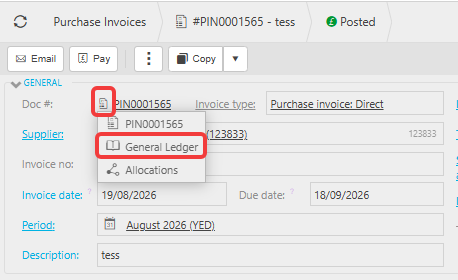
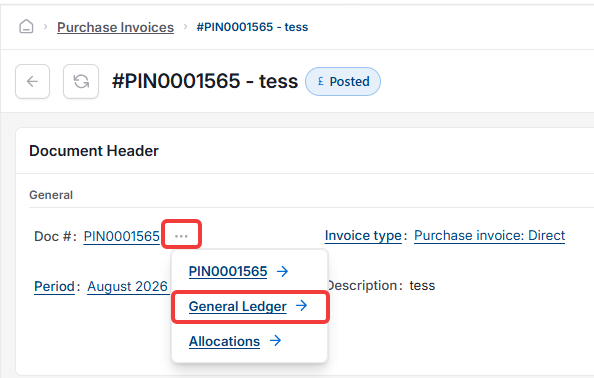
- Locate the icon next to the document number – depending on your screen, this appears as a small document icon or as three dots '...', but it always sits inline with the document number
- Select this icon to open the options menu
- Select 'General Ledger' from the list
- iplicit displays the General Ledger postings for that transaction, showing each account debited or credited and the values posted.
Viewing General Ledger postings from a view or enquiry
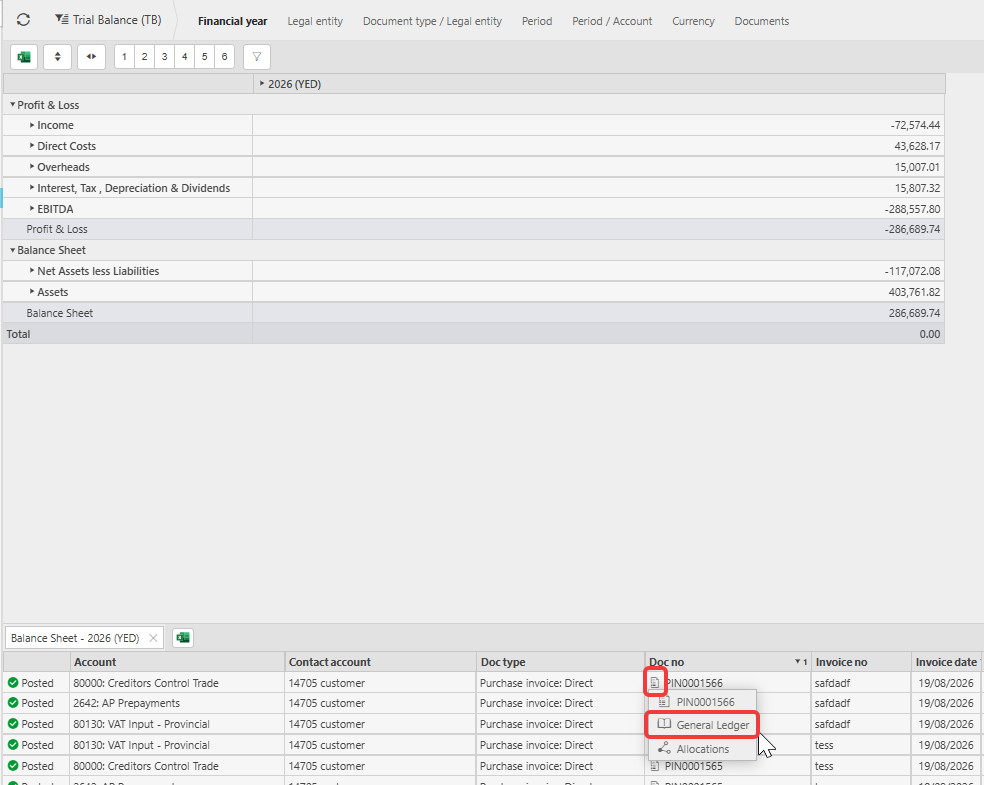
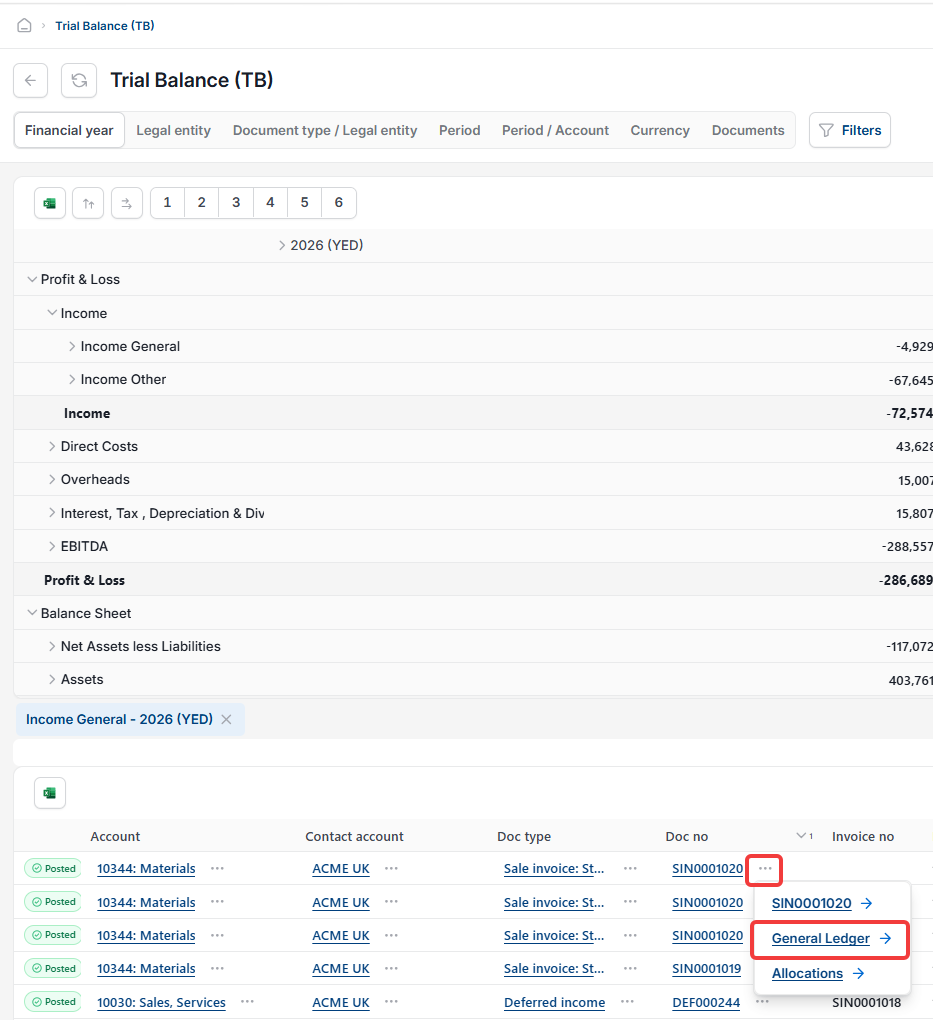
You do not need to open the transaction itself to check its postings. The same icon – whether a document icon or three dots '...' – appears in iplicit views and enquiries wherever a document number is displayed, including grids such as Trial Balance. This means you can access General Ledger postings directly from a list.
- Navigate to the relevant view or enquiry, for example Trial Balance
- Locate the icon next to the document number in the 'Doc no' column
- Select the icon and choose 'General Ledger' from the options menu
- iplicit displays the same postings screen as when accessed from the transaction directly.
This is useful when reviewing multiple transactions without opening each one individually.
View GL postings transaction
General ledger journal entries
See postings from invoice
Check GL from document
View accounts posted to
GL drill down iplicit
How to check general ledger posting
View journal from transaction