

This article covers setting up charges in iplicit – for example, a fee applied on a bank transaction. There are three one-off setup steps, followed by how to add a charge when creating a payment or receipt.
Step one – enable a General Ledger account for charges
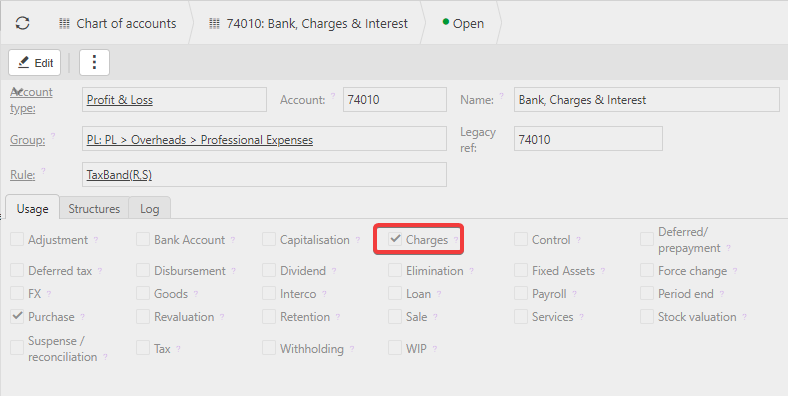
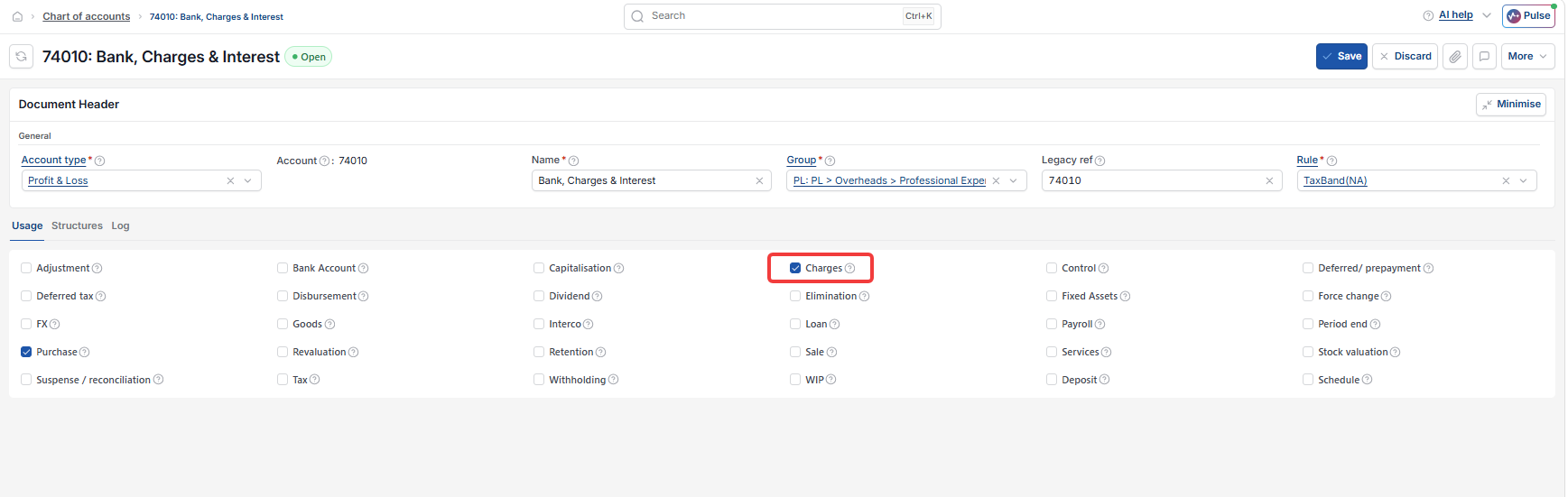
You need at least one account in the General Ledger with 'Charges' ticked in its Usage tab. This is the account charge amounts will post to.
- Open the relevant account in Chart of accounts
- Go to the Usage tab
- Tick 'Charges'
- Save.
Step two – enable the charge on a payment method
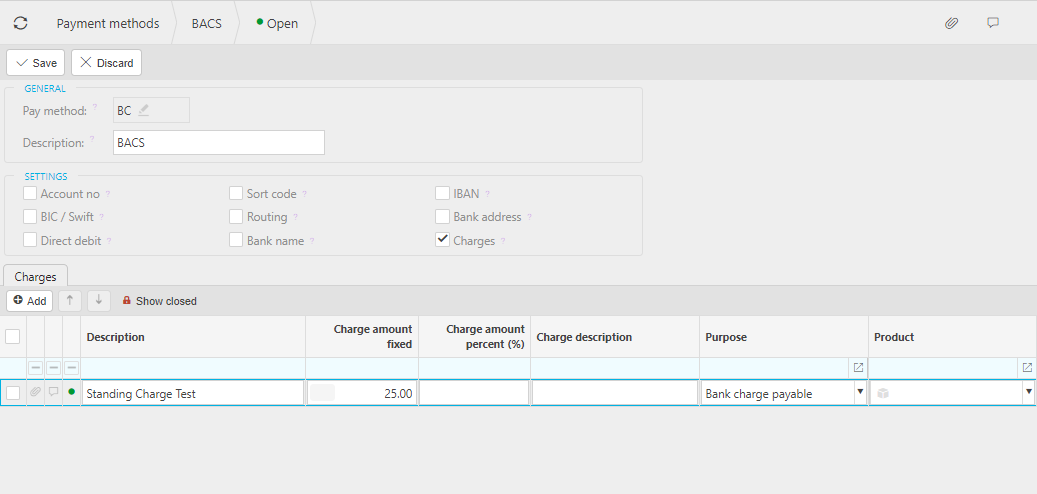
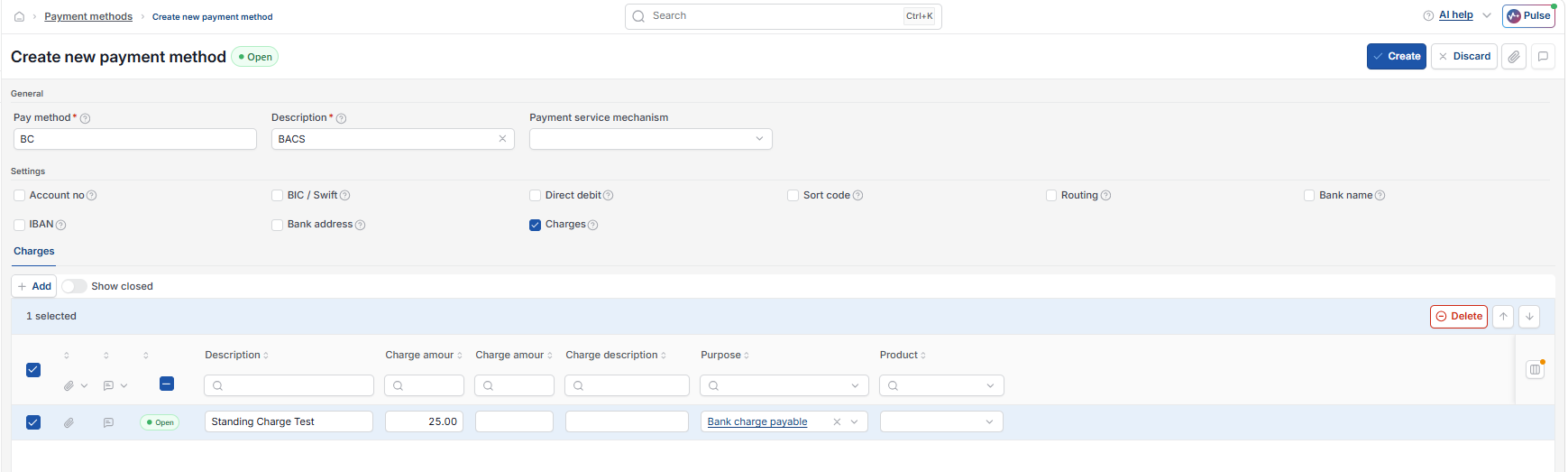
A charge must also be set up against whichever payment method will use it. Ticking 'Charges' on a payment method opens a Charges tab, where you create one or more charge types – for example, separate charges for bank payments and collections.
- Open the relevant payment method
- Tick 'Charges'
- Go to the new Charges tab and add a charge line
- Enter a description and, if the amount is always the same, a fixed charge amount – leave this blank if you want to enter the amount manually each time
- Select the account you enabled for charges in step one
- Save.
A charge set up this way is only available on payments made using that specific payment method, and only for the bank account that payment method belongs to.
Step three – allow charges on the document type
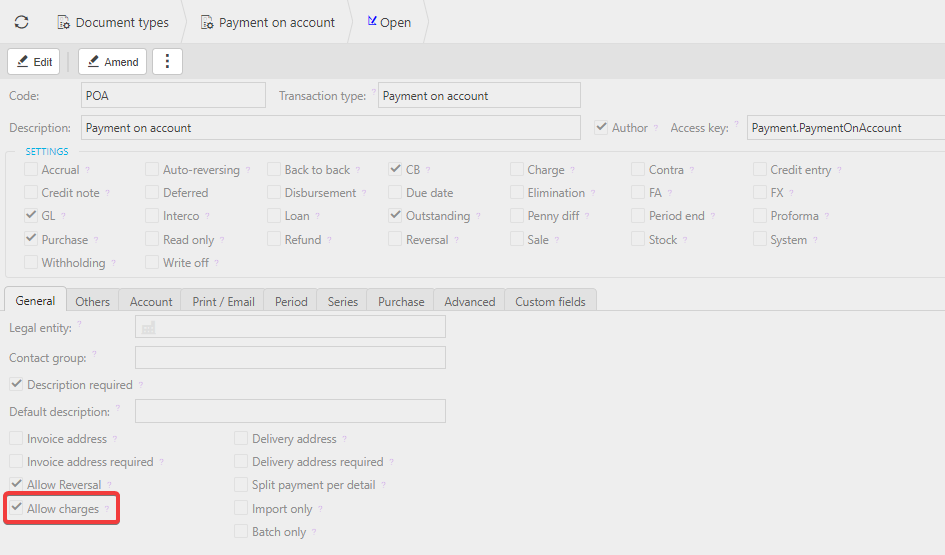
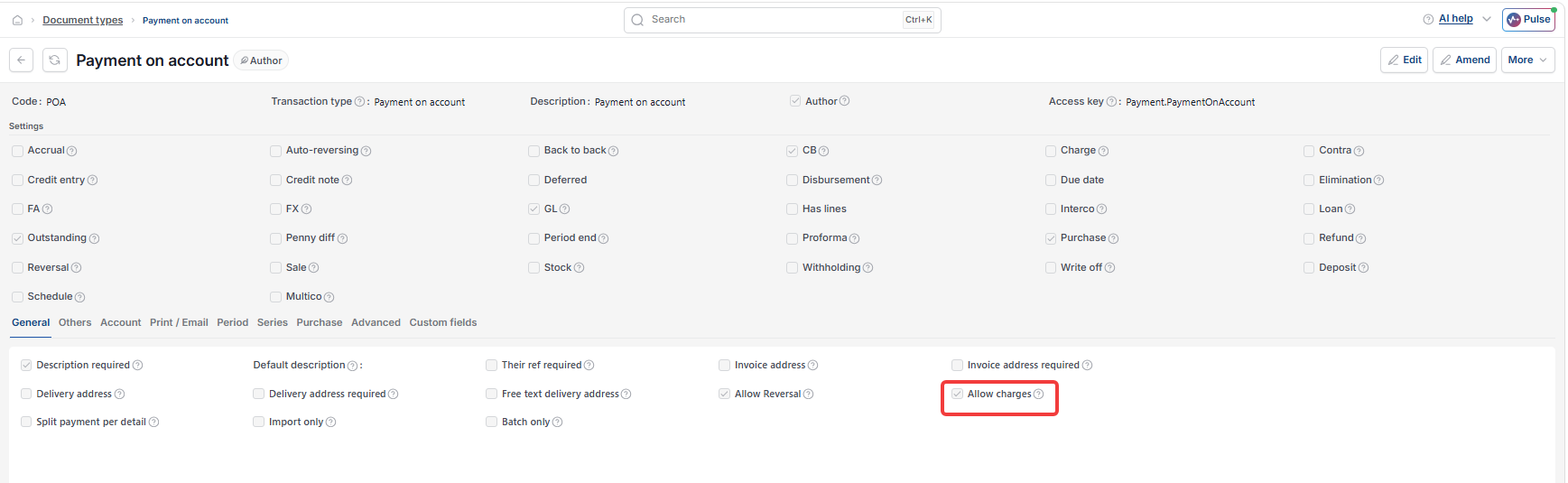
For a charge to appear on a payment or receipt, the document type being used also needs charges allowed.
- Open the relevant document type – for example, 'Payment on account'
- Find 'Allow charges' towards the bottom of the General tab
- Tick it
- Save, then reload iplicit for the change to take effect.
Adding a charge to a payment or receipt
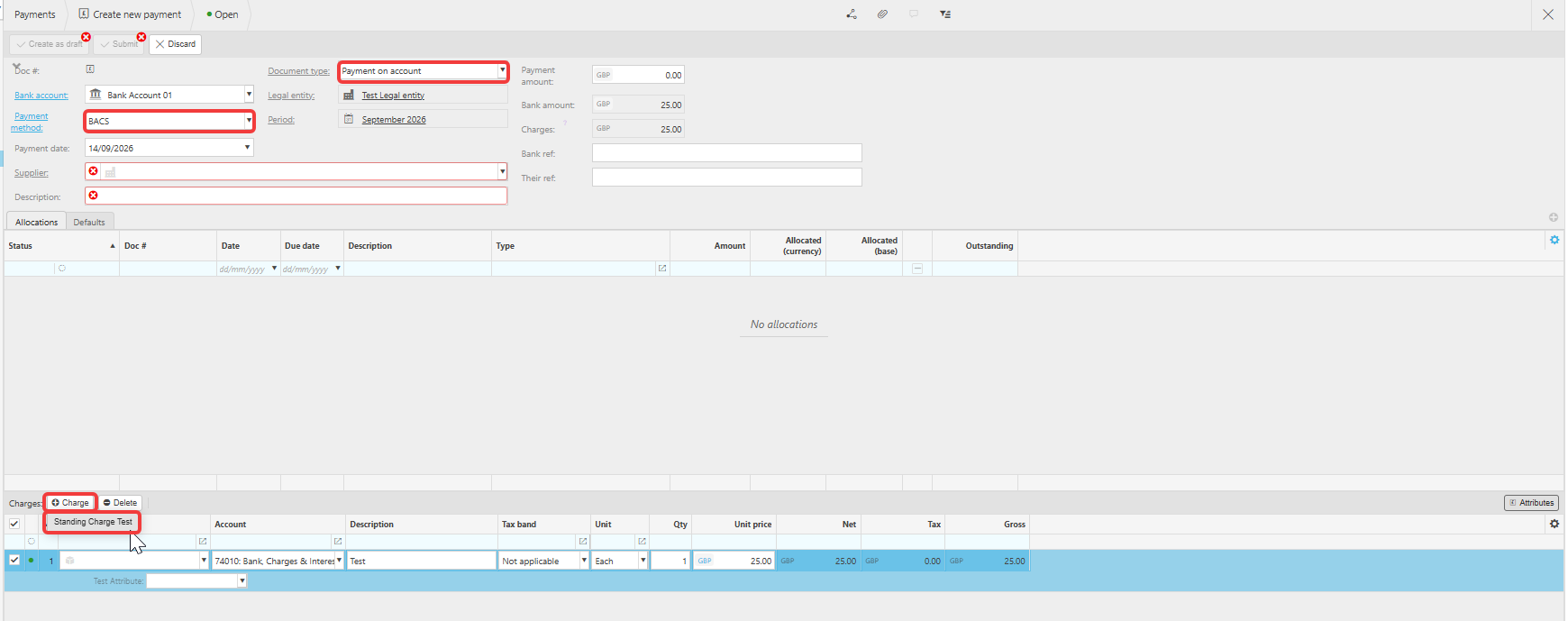
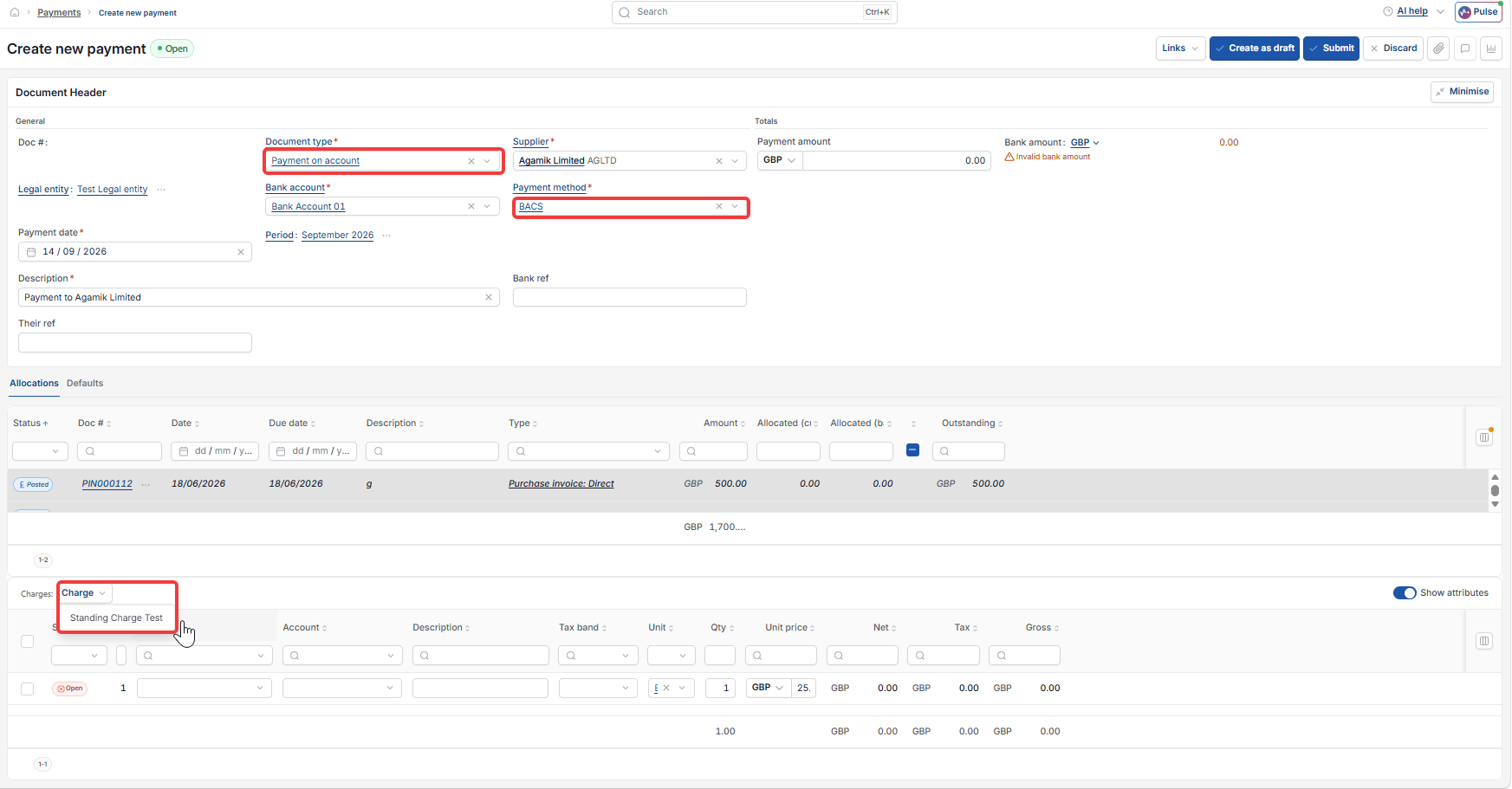
Once all three steps are complete, create the payment or receipt as usual and select the payment method the charge is set up against. This brings in a separate charges panel. Select 'Charge' to add a charge line, then complete the charge details as needed.
Set up bank charges
Create a charge
Charge on payment method
Bank fee on payment
Add a charge to a payment
Charge not appearing on payment