

This article covers the error messages you may see when running an FX revaluation (cashbook, debtors, creditors or balance sheet) from the Revaluations screen. Each section below matches one error message to its cause and fix. If your revaluation submits without an error but the journals or ledger don't look right afterwards, see 'Why are the revaluation journals not showing on the ledger' instead.
Error: multiple messages about missing batch series and document types
If running an FX revaluation shows several errors at once (for example, references to a missing or inactive batch series alongside missing or inactive document types for cashbook and debtor revaluations), your environment has not yet been set up to run FX revaluations at all. Contact iplicit support for help setting this up.
Error: revaluation document type not set as GL only
If the error names one or more revaluation document types (debtors, creditors or cashbook) and states they are "not set as GL Only", the revaluation document type is missing a required setting, and iplicit won't create the revaluation.
To fix this:
- Open the relevant revaluation document type
- Go to the 'Others' tab
- Tick 'GL only'
- Save.
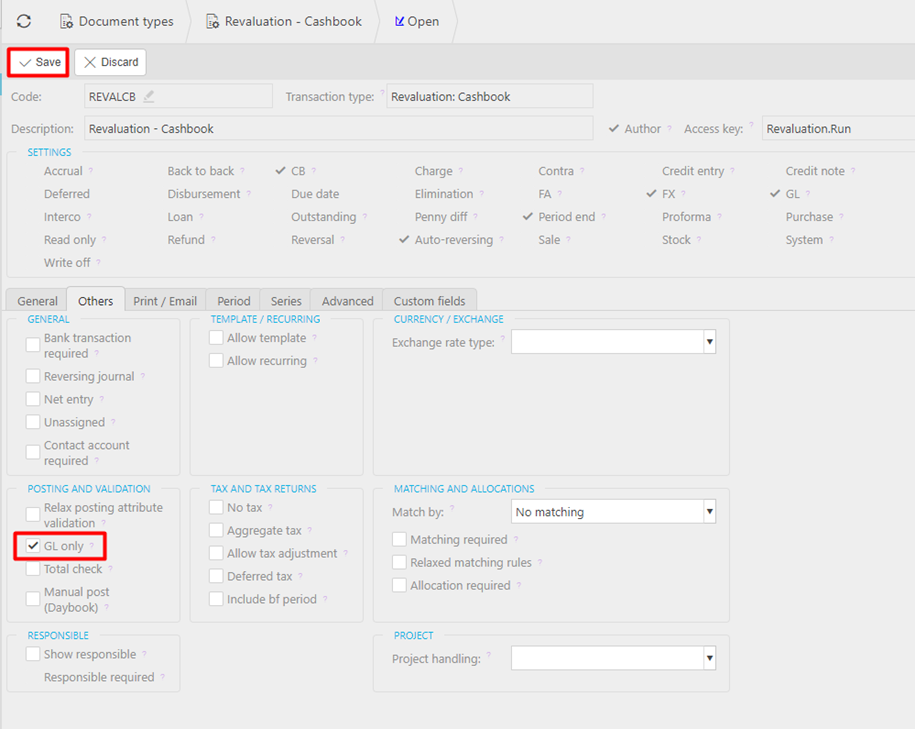
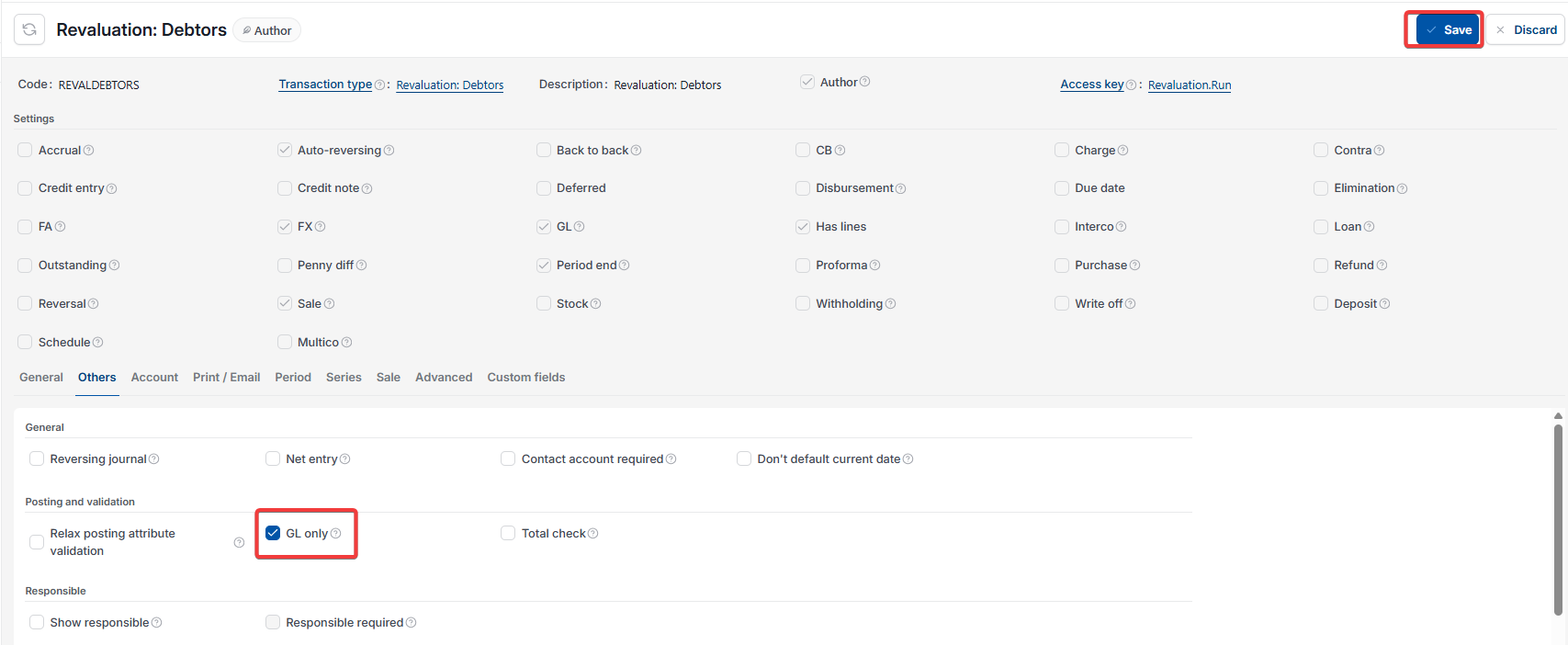
Check and repeat this on every revaluation document type named in the error before running the revaluation again.
Error: missing or inactive batch series
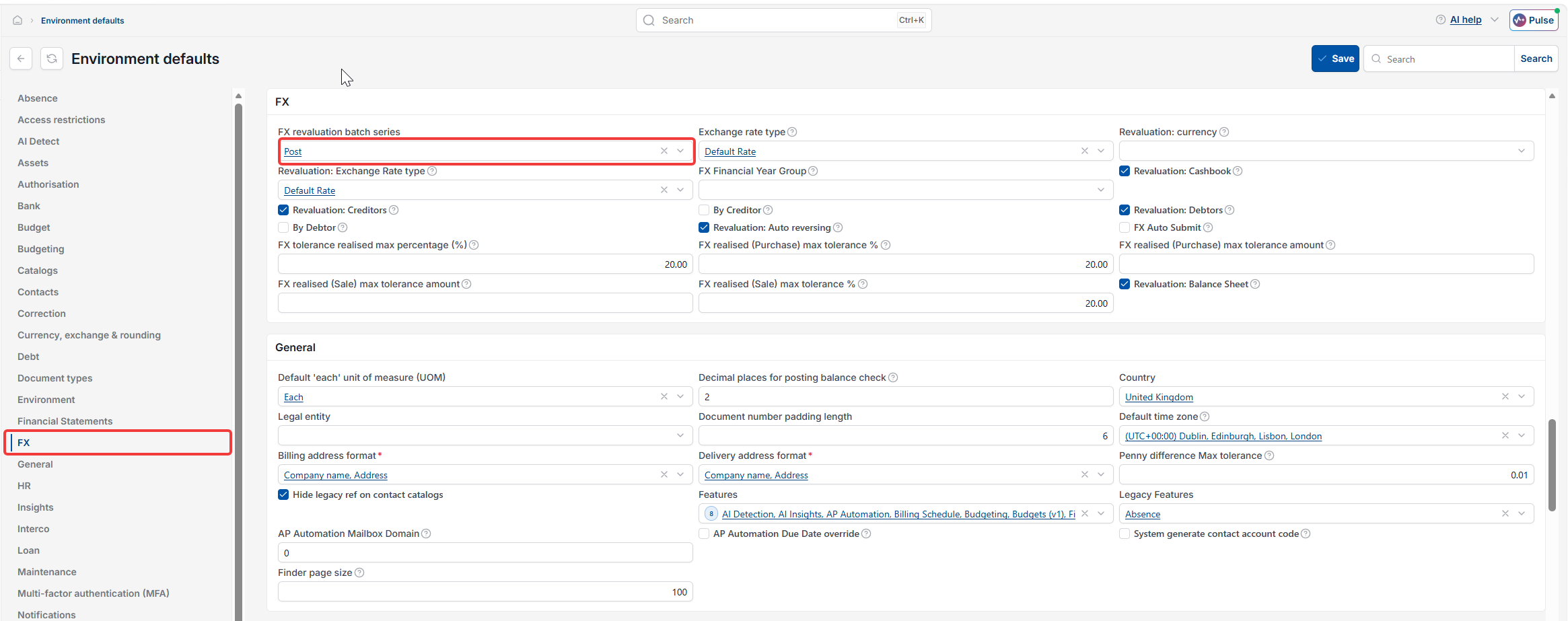
If the error states there is a missing or inactive batch series when running an FX revaluation, the batch series hasn't been set in environment defaults. A batch series controls how iplicit numbers documents as they're posted.
To fix this:
- Go to environment defaults
- Find the FX section
- Set 'FX revaluation batch series' to 'Post'
- Save, then reload iplicit for the change to take effect.
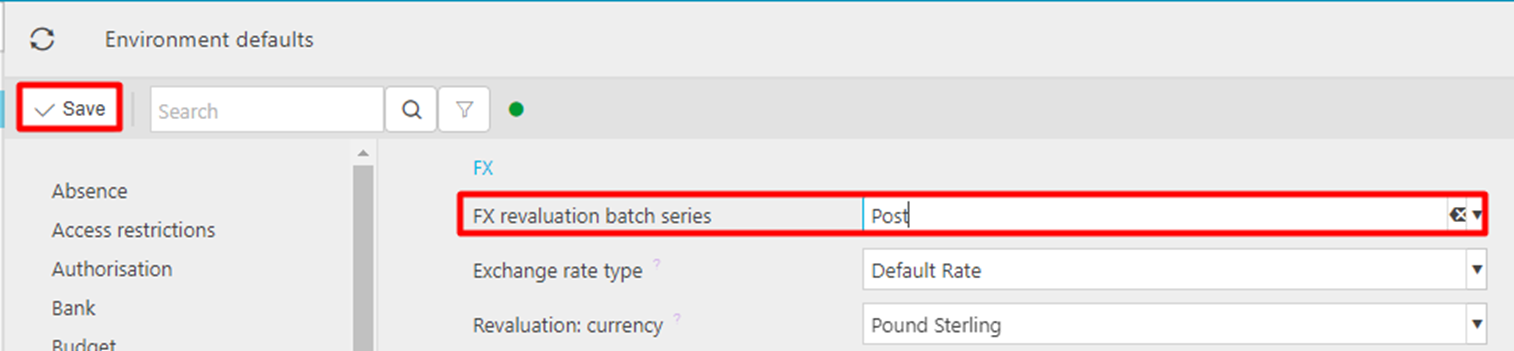
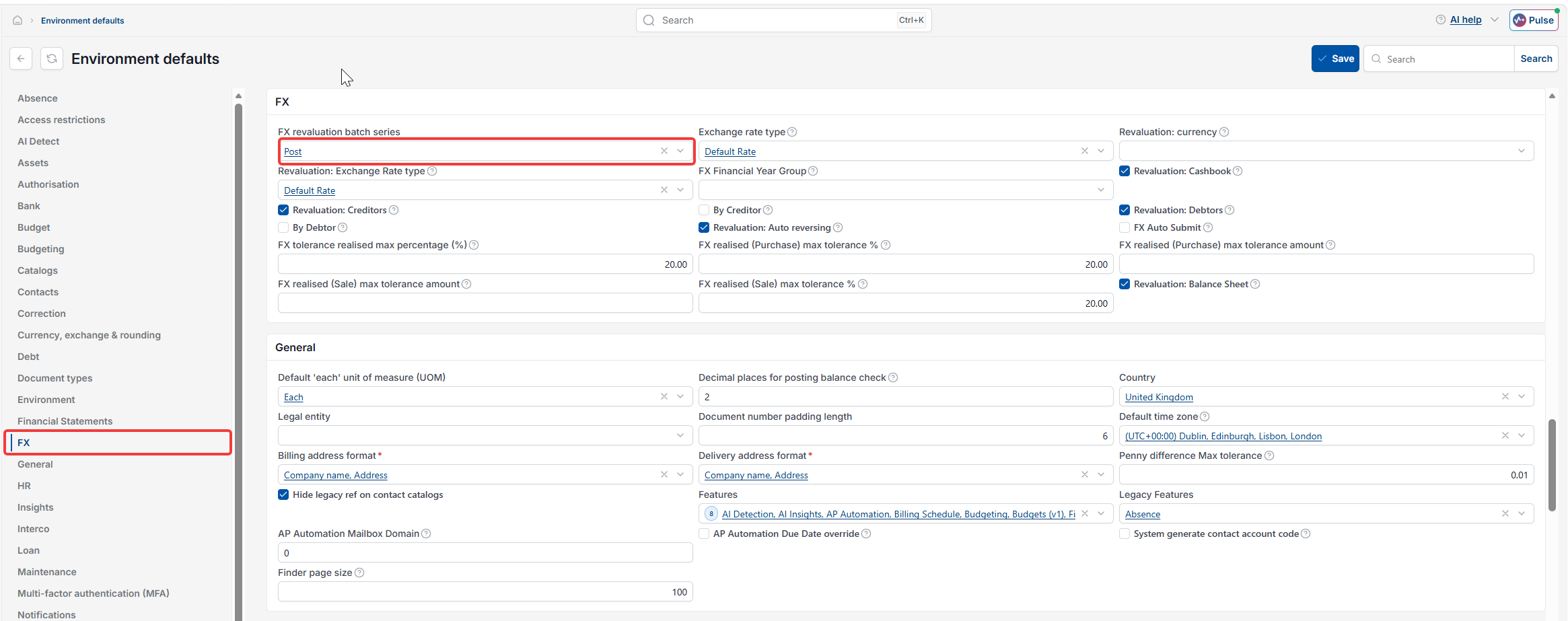
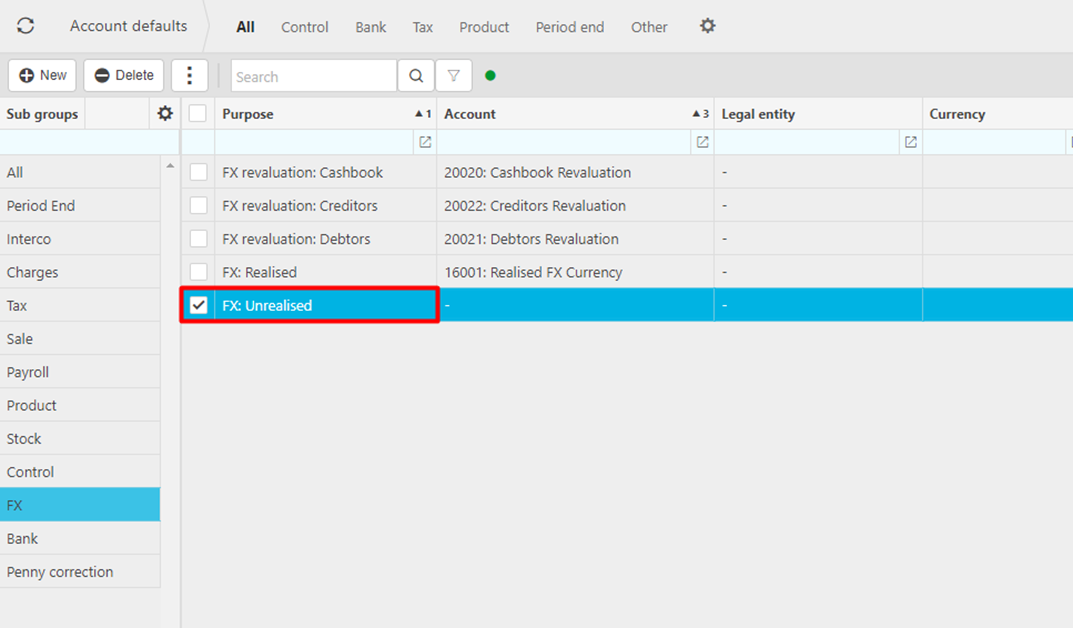
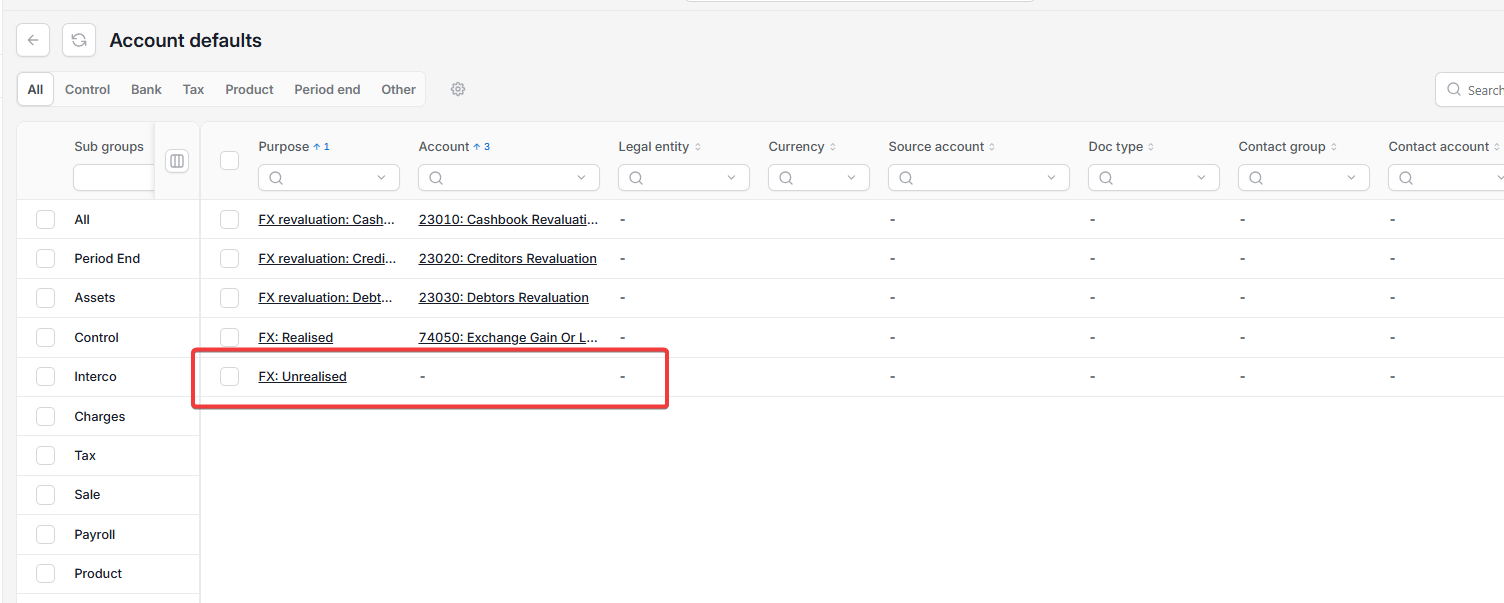
Error: missing FX Unrealised account default
If the error states there is a missing "FX Unrealised" account default, iplicit doesn't know which nominal account to post unrealised foreign currency differences to.
To fix this:
- Go to account defaults
- Select the FX subgroup
- Select 'FX: Unrealised' and set the account.
Error: auto reversing batch series not set
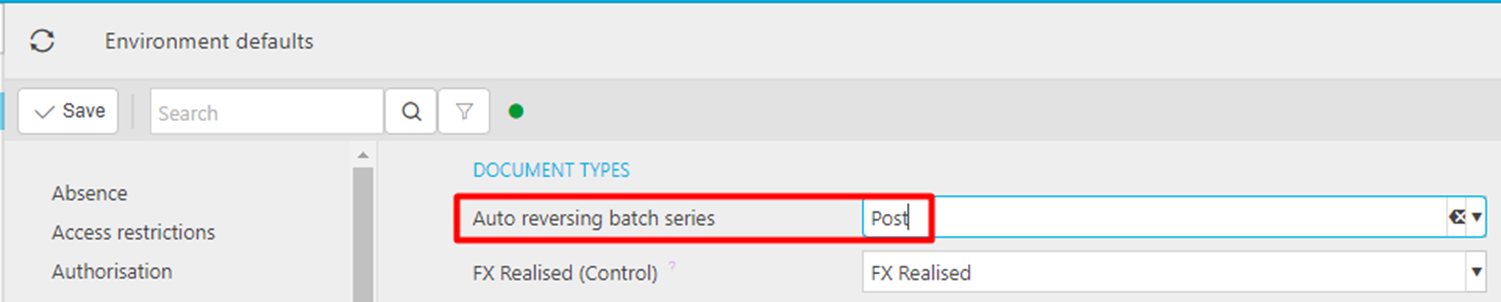
If the error states you must set the 'Auto reversing batch series' in environment settings, this setting is missing from environment defaults. This is separate from the FX revaluation batch series above.
To fix this:
- Go to environment defaults
- Select the document types section
- Set 'Auto reversing batch series' to 'Post'
- Save.
Error: cannot resolve reversing document type
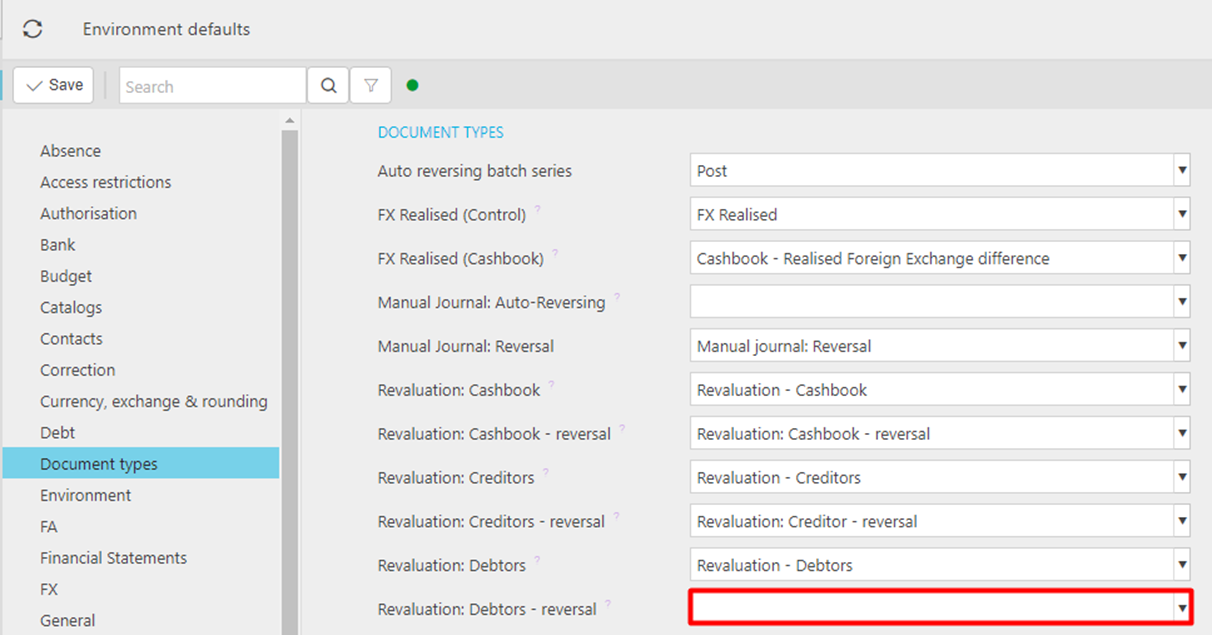
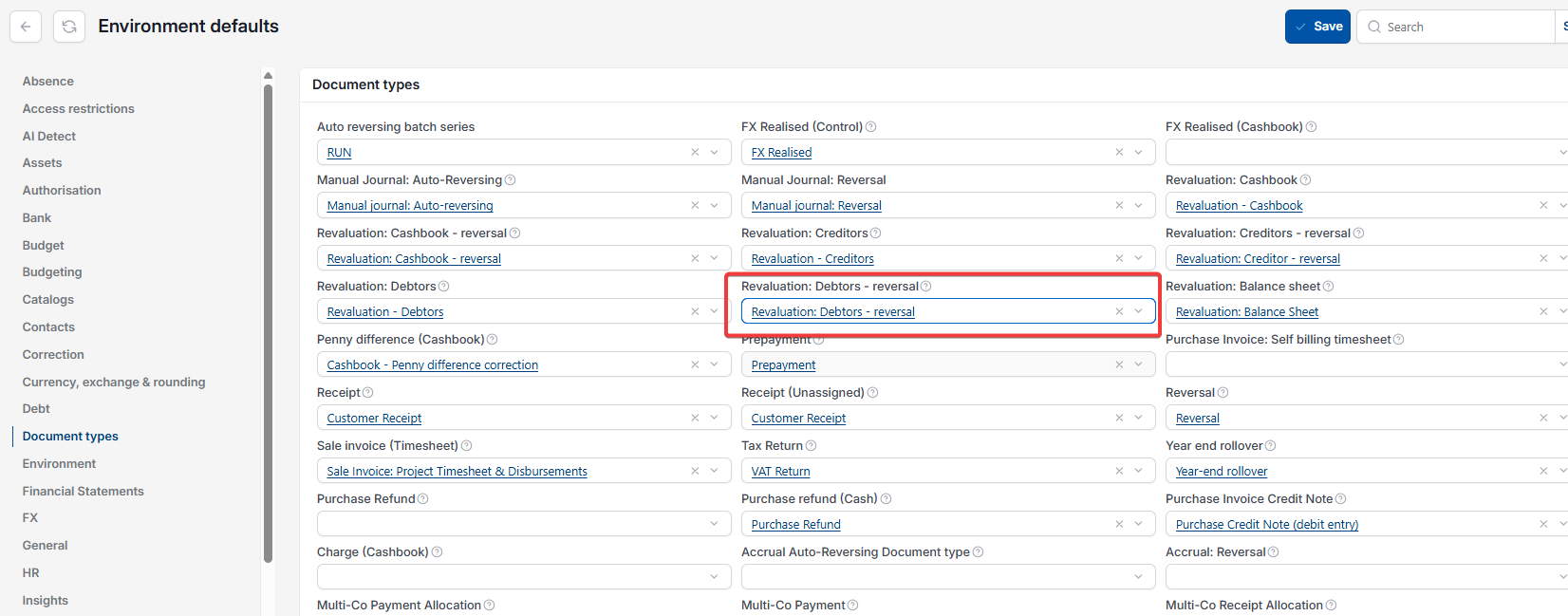
If the error states iplicit cannot resolve the reversing document type for a specific revaluation (for example, 'Revaluation - Debtors'), the matching reversal document type hasn't been set in environment defaults. Without it, the FX revaluation is created but its automatic reversing document is missing. This leaves the revaluation unbalanced, since the reversing contra entry isn't present in the general ledger. The same issue can affect the reversal settings for cashbook, creditors or balance sheet revaluations if any of those are left unset.
To fix this:
- Go to environment defaults
- Select the document types section
- Find the reversal setting for the revaluation type named in the error (for example, 'Revaluation: Debtors - reversal')
- Select the matching reversal document type from the dropdown
- Save.
The FX revaluation is giving me an error
FX revaluation missing or inactive batch series
Revaluation document type not set as GL only
Missing FX unrealised account default
Auto reversing batch series not set
Cannot resolve reversing document type