

This article covers selecting the correct bank account for a supplier that has more than one bank account saved, when processing a bulk payment. iplicit only lets you choose which account to pay after the bulk payment has been submitted, not before, so a payment must be amended afterwards to route it correctly.
Why you can't choose the bank account before submitting
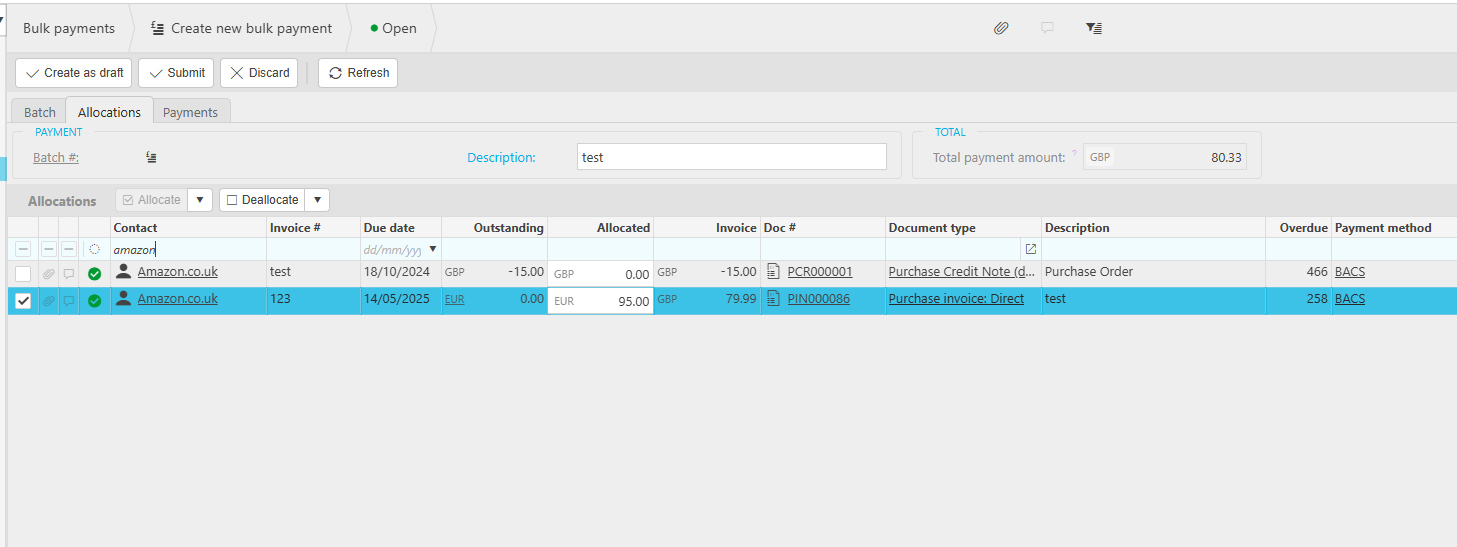
When a supplier has more than one bank account saved, iplicit doesn't let you select which one to use while building the bulk payment on the 'Allocations' tab. This isn't an error, it's expected behaviour, the account is chosen after submission instead.
How to select the correct bank account after submitting a bulk payment
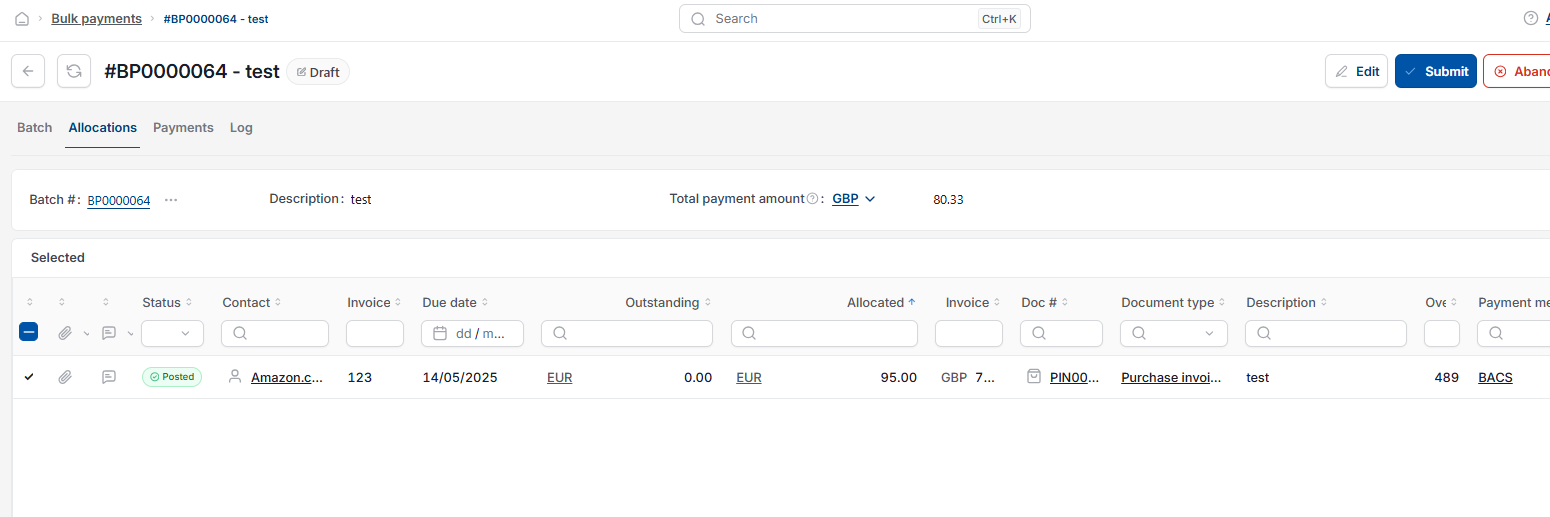
- Go to the 'Bulk payments' screen and locate the invoice you want to allocate an amount against, then submit the bulk payment. You won't be able to choose a bank account before this step
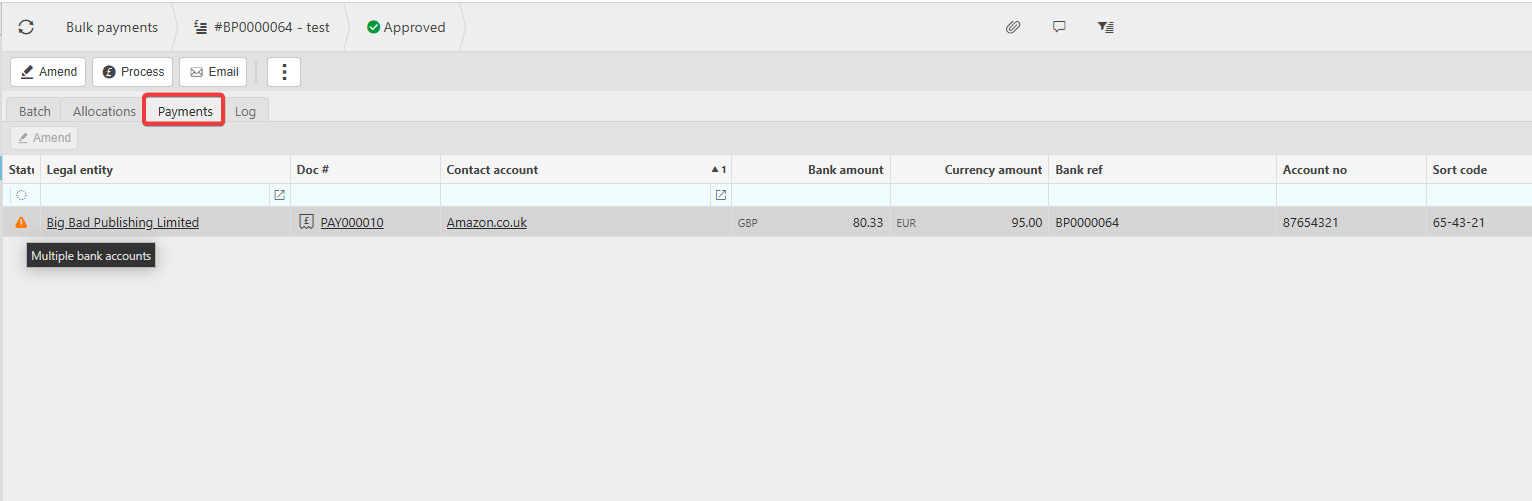
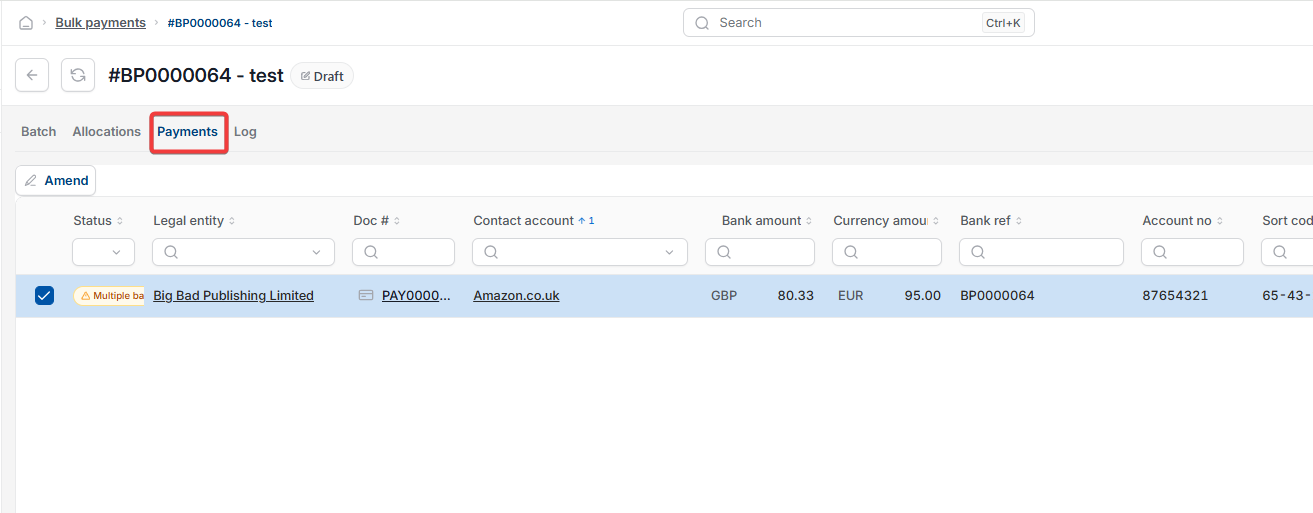
- Once submitted, open the 'Payments' tab. A warning triangle appears next to any supplier with multiple bank accounts saved. Hovering over it shows 'Multiple bank accounts'
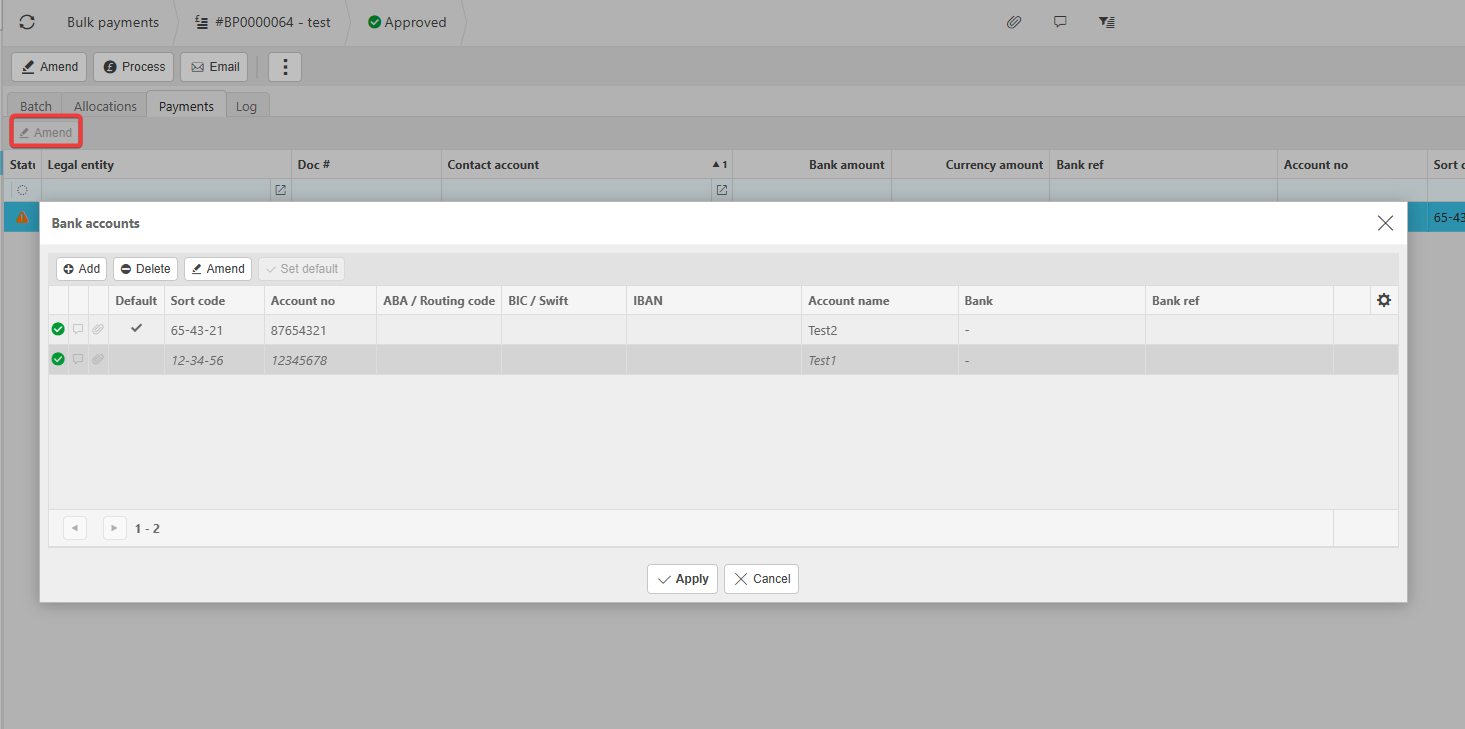
- Select 'Amend' above the payments list
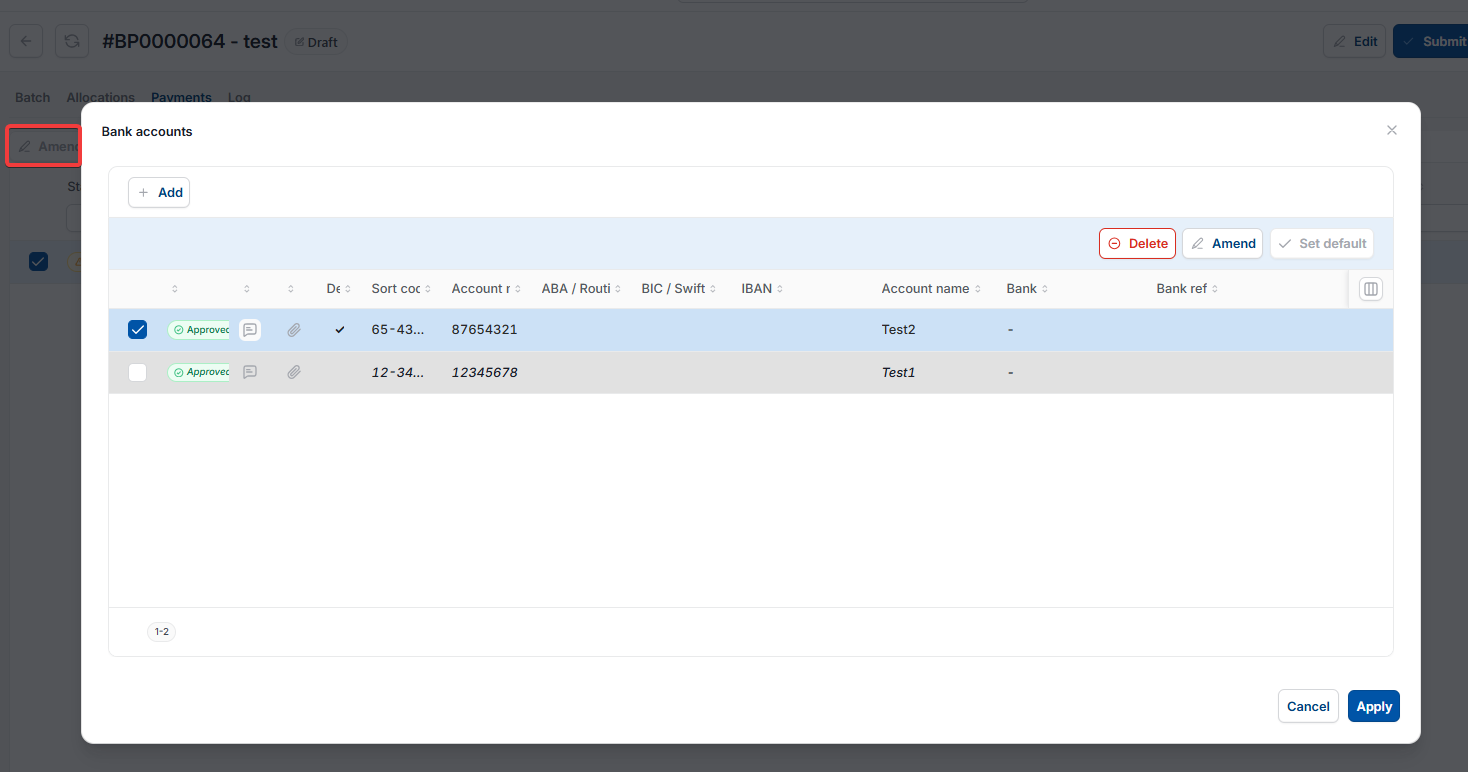
- In the 'Bank accounts' window that opens, select the correct account from the list
- Select 'Apply'.
Once applied, the payment is allocated to the correct bank account for that supplier.
Supplier multiple bank accounts bulk payment
Wrong bank account bulk payment
Amend bank account bulk payment
Select bank account after submission
Bulk payment supplier warning