

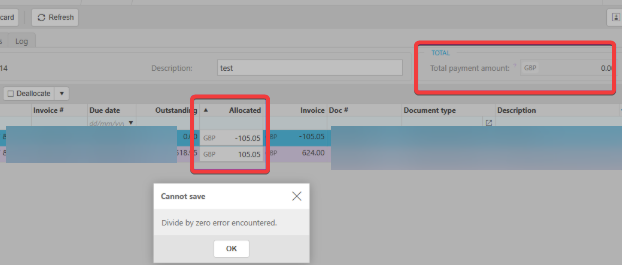
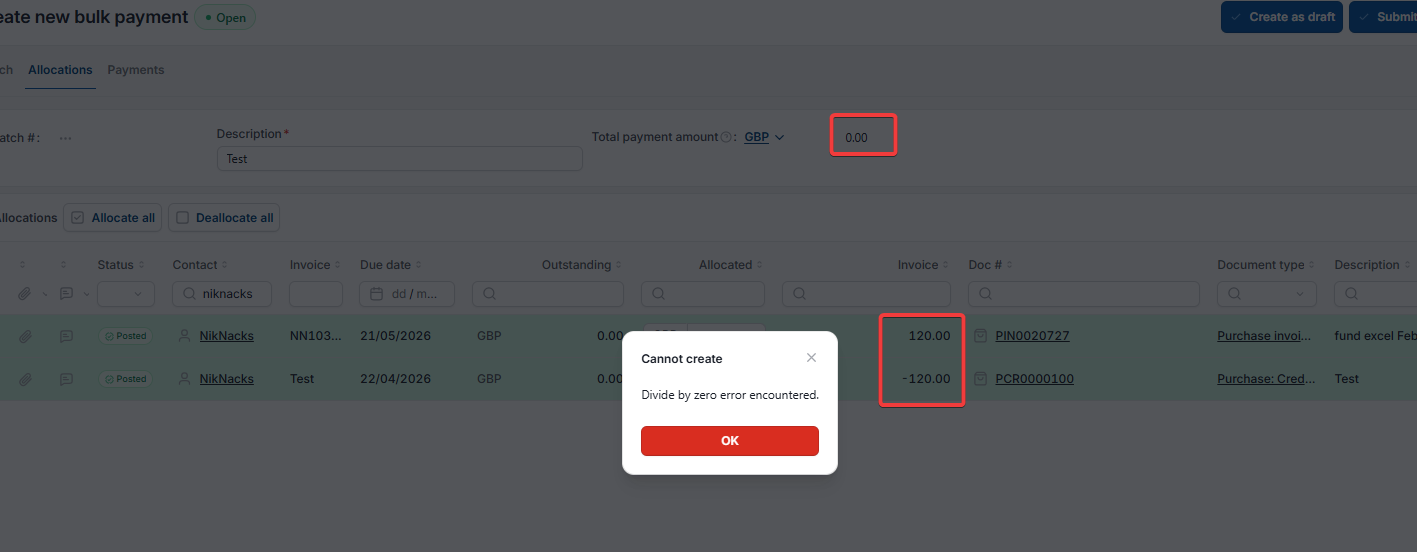
This article covers the 'Divide by zero error encountered' message on a bulk payment. It appears when a supplier has a debit and a credit of the same value included in the bulk payment, leaving nothing left to pay on that supplier.
Why the divide by zero error happens on a bulk payment
A bulk payment can't process a supplier item with no payable balance. If a supplier has both a debit and a credit of the same value allocated together, for example an invoice for 105.05 and a credit note for negative 105.05, the two cancel each other out to a net amount due of £0.00. Because there's nothing left to pay, iplicit can't process that item within the bulk payment, and the 'Divide by zero' error appears.
How to fix the divide by zero error on a bulk payment
- Remove the credit item from the bulk payment
- Allocate the credit item to its matching invoice separately, outside of the bulk payment process.
Once the offsetting credit item is removed, the bulk payment can be processed as normal.
Bulk payment error
Error when creating bulk payment
Cannot process bulk payment
Bulk payment processing issue
Divide by zero error
Zero balance bulk payment