

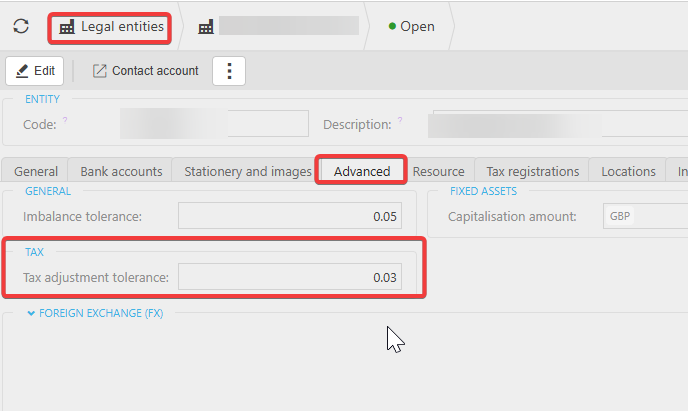
You can amend the tax adjustment tolerance within your system by navigating to the Legal Entity Settings for the specific legal entity you want to update.
It’s important to ensure you are viewing the correct legal entity, as each entity has its own tolerance settings.
To update the tolerance:
- Go to Legal Entity Settings
- Select the relevant legal entity from the list
- Open the Advanced tab
- Adjust the Tax Adjustment Tolerance as needed
Increasing this value will allow the system to accommodate larger VAT rounding differences
Customer search terms
Change tax tolerance
VAT rounding difference settings
Update LEGE tolerance
Tax adjustment defaulting
Where do I edit VAT
_______________________________________________________________________________________