

This article explains how to remove a tax adjustment in iplicit. Tax adjustments can appear on sales and purchase documents, expense documents and journals – and the steps to remove them differ depending on which document type you're working with.
Removing a tax adjustment from a sales or purchase document
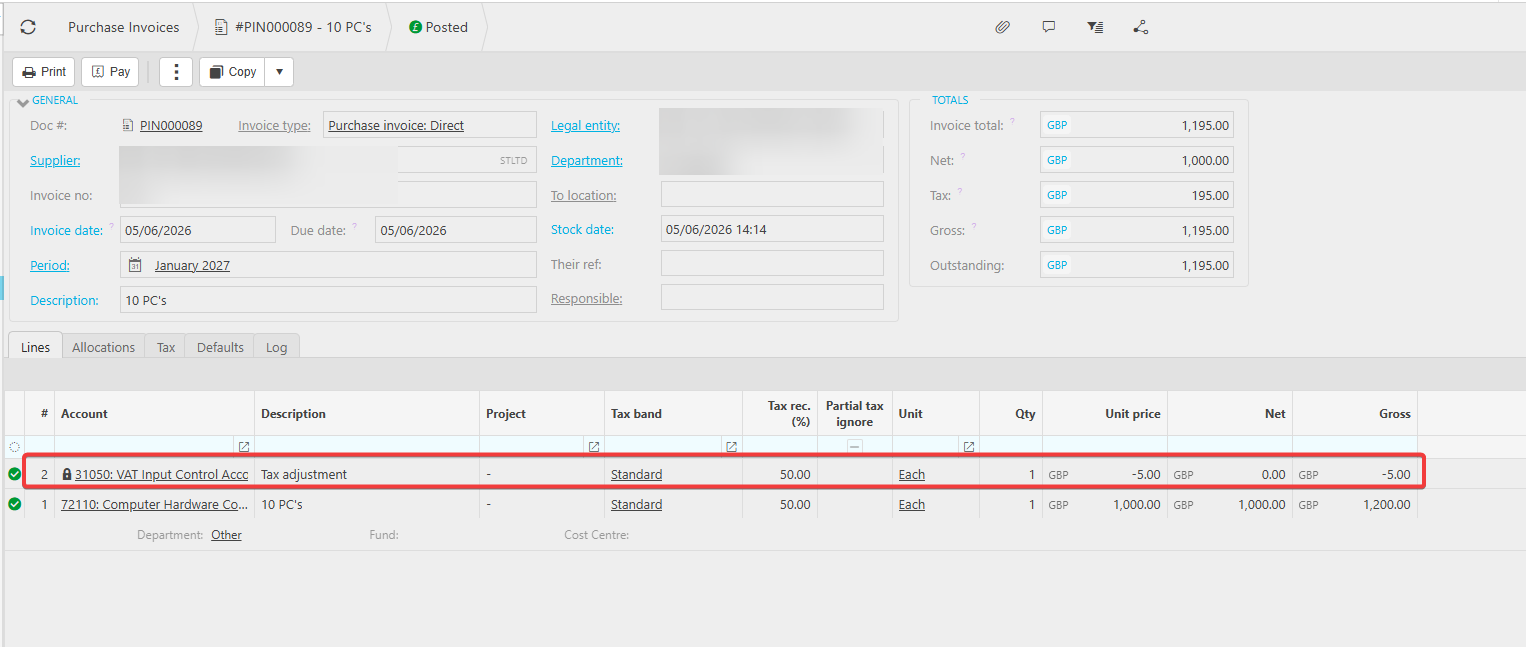
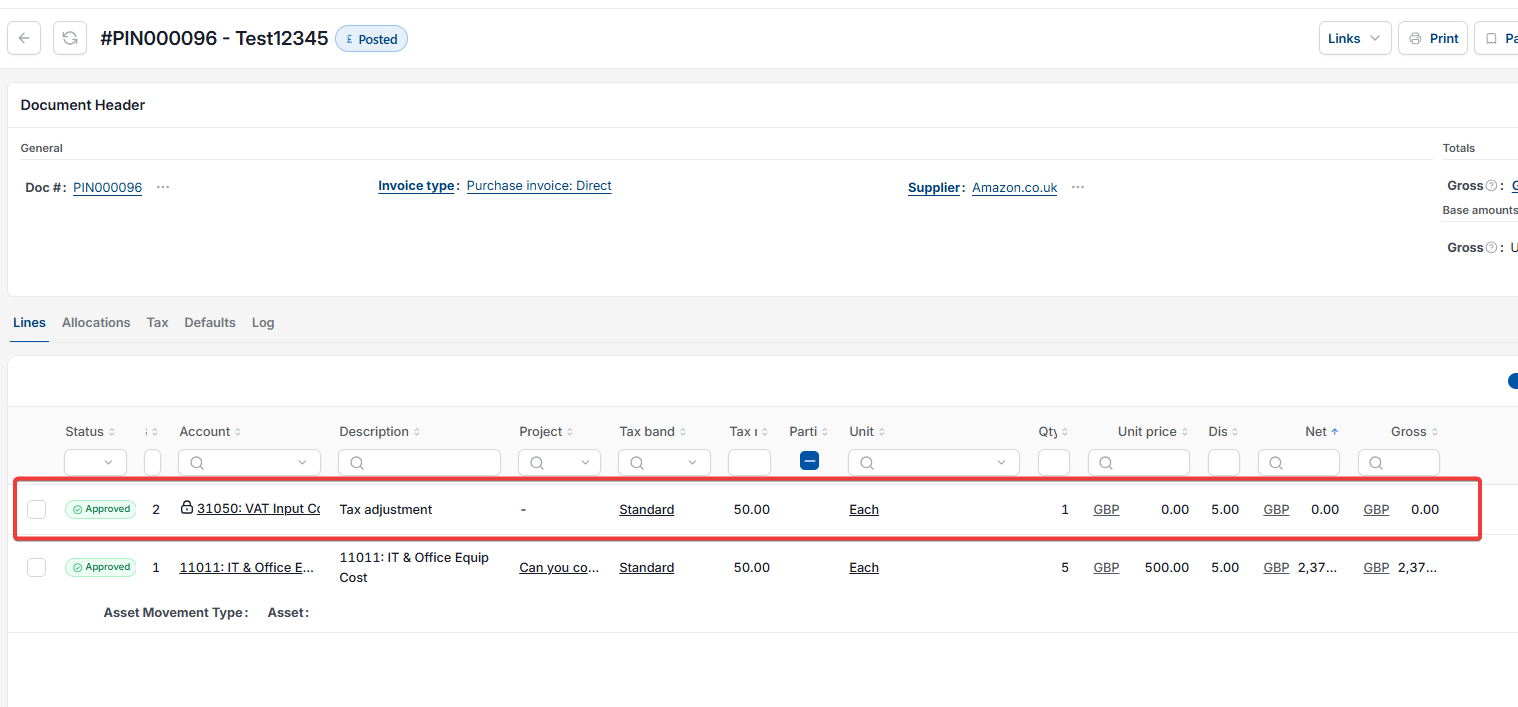
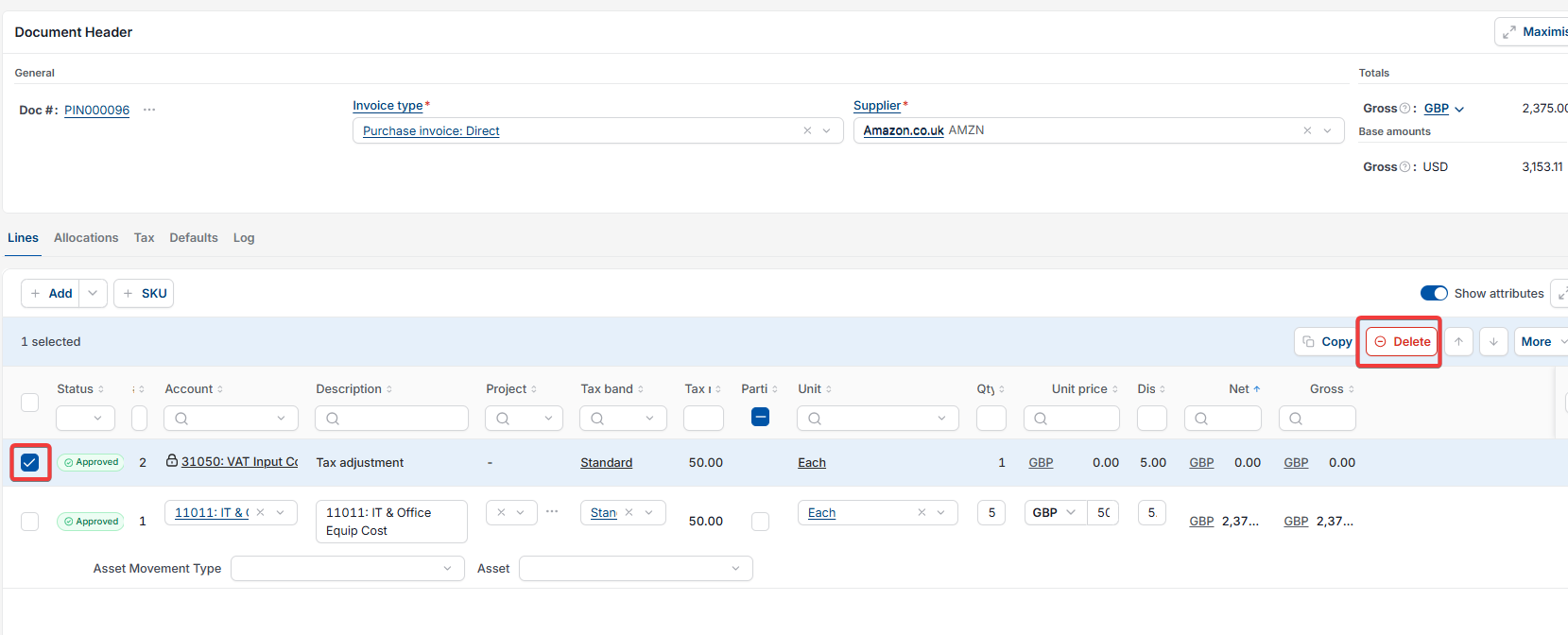
In iplicit's Sales Ledger and Purchase Ledger, a tax adjustment appears as a separate line within the document – similar to how a discount or additional charge would appear. Removing it means deleting that line.
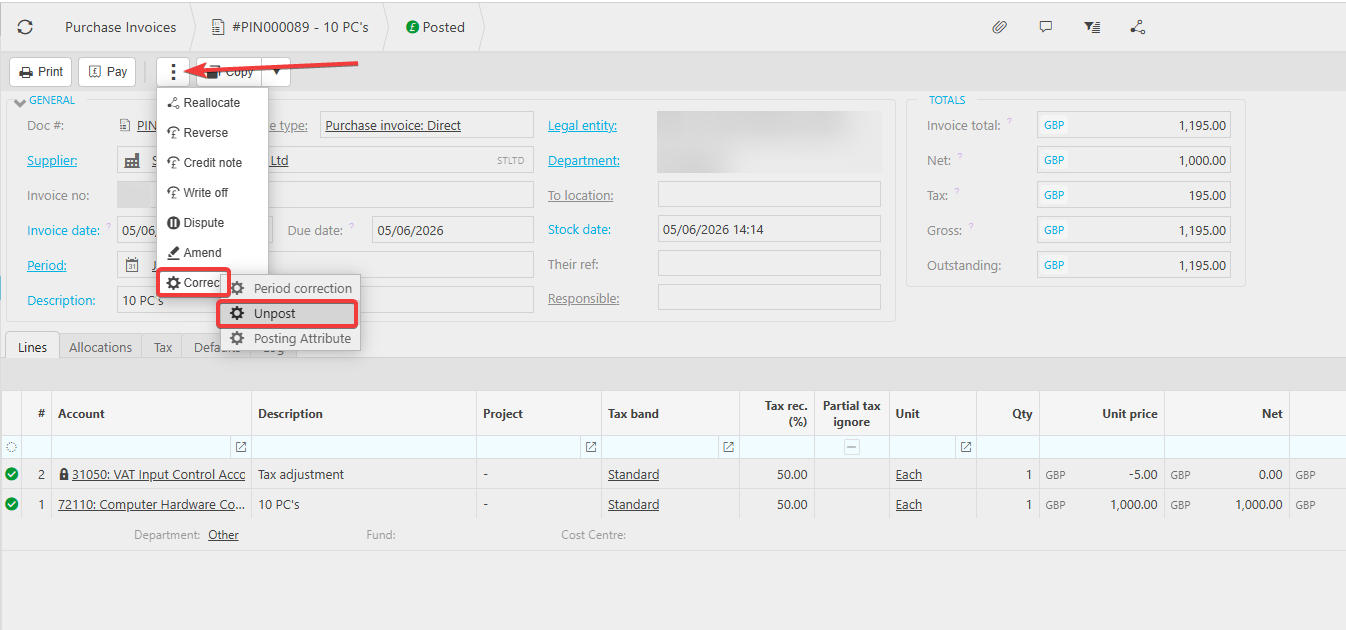
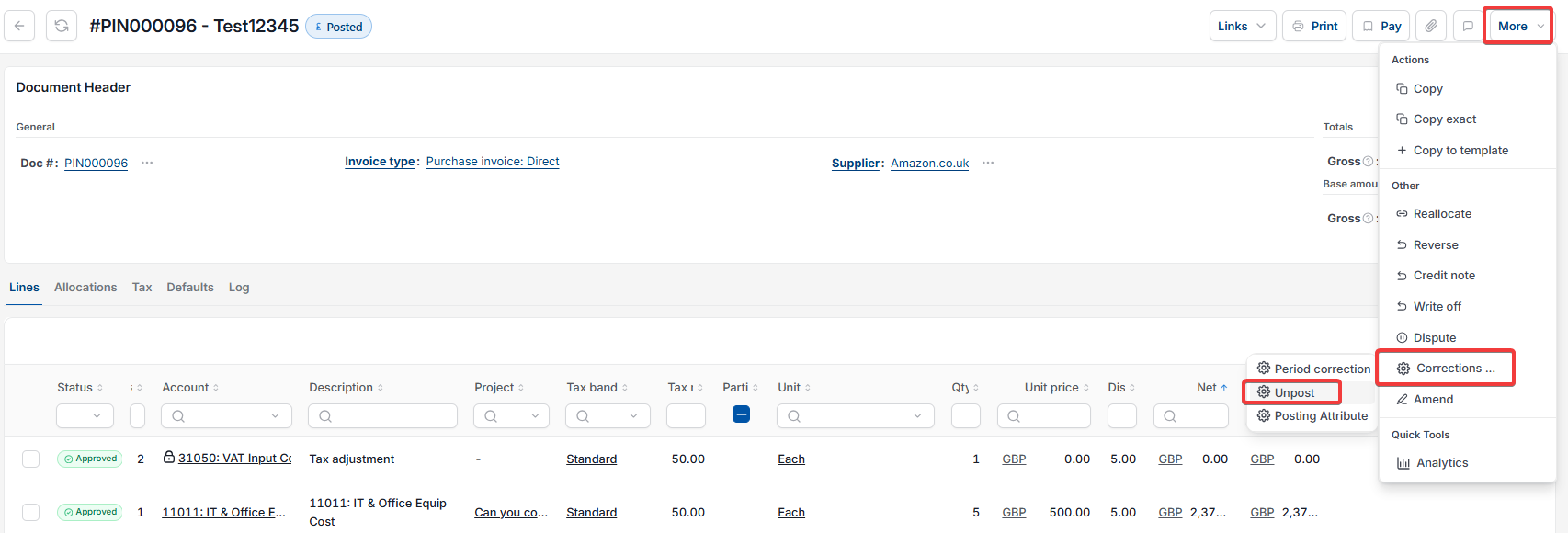
If the document has already been posted, you need to unpost it first. Posting locks a document to protect your records. Unposting returns it to draft so you can make changes.
- Open the sales or purchase document that contains the tax adjustment
- If the document is posted, select 'Unpost' to return it to draft status
- Locate the tax adjustment line within the document
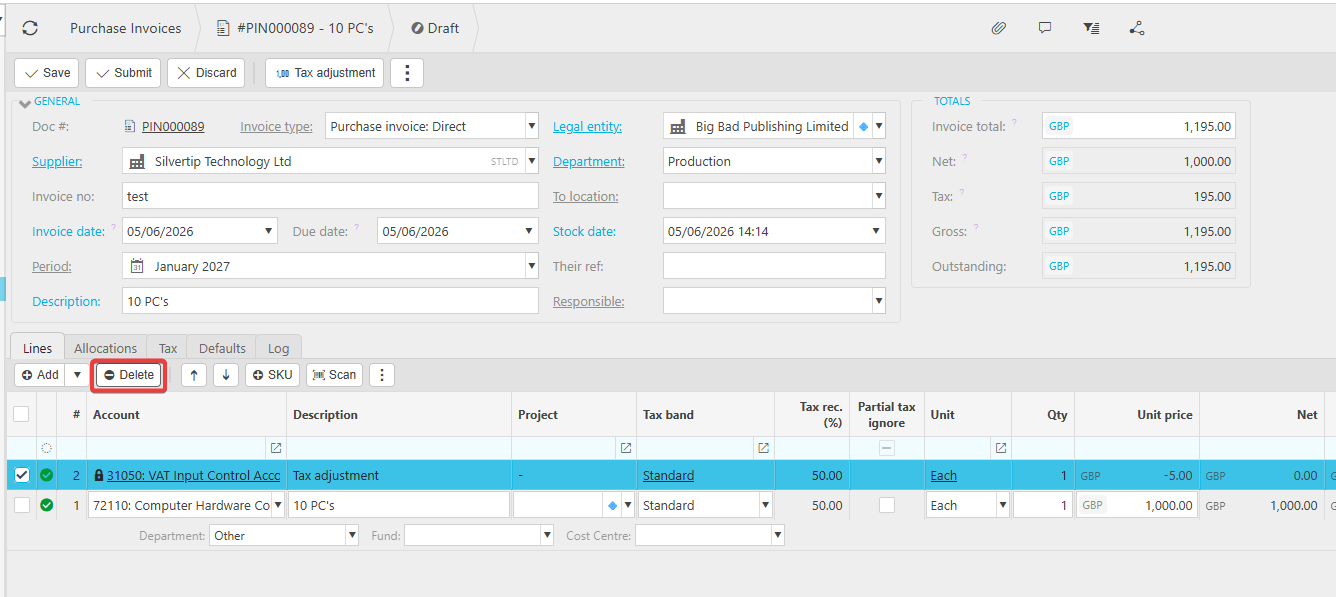
- Select the delete option on that line to remove it
- Save or resubmit the document.
Removing a tax adjustment from an expense document or journal
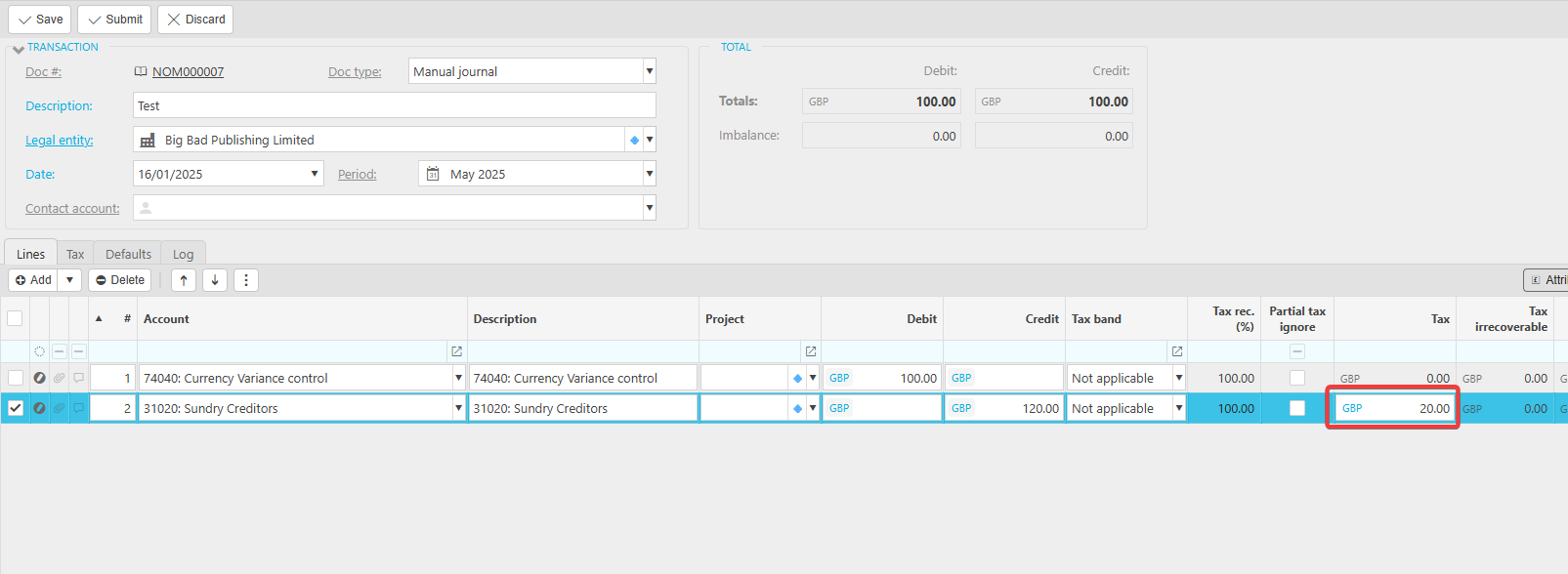
In iplicit's Expenses and Journals modules, tax adjustments work differently. Rather than appearing as a separate line, the adjustment is applied directly to an existing line within the document. Removing it means editing the tax value on that line, not deleting a separate entry.
If the document has already been posted, you need to unpost it first before you can edit any tax values.
- Open the expense document or journal that contains the tax adjustment
- If the document is posted, select 'Unpost' to return it to draft status
- Locate the line that has the tax adjustment applied to it
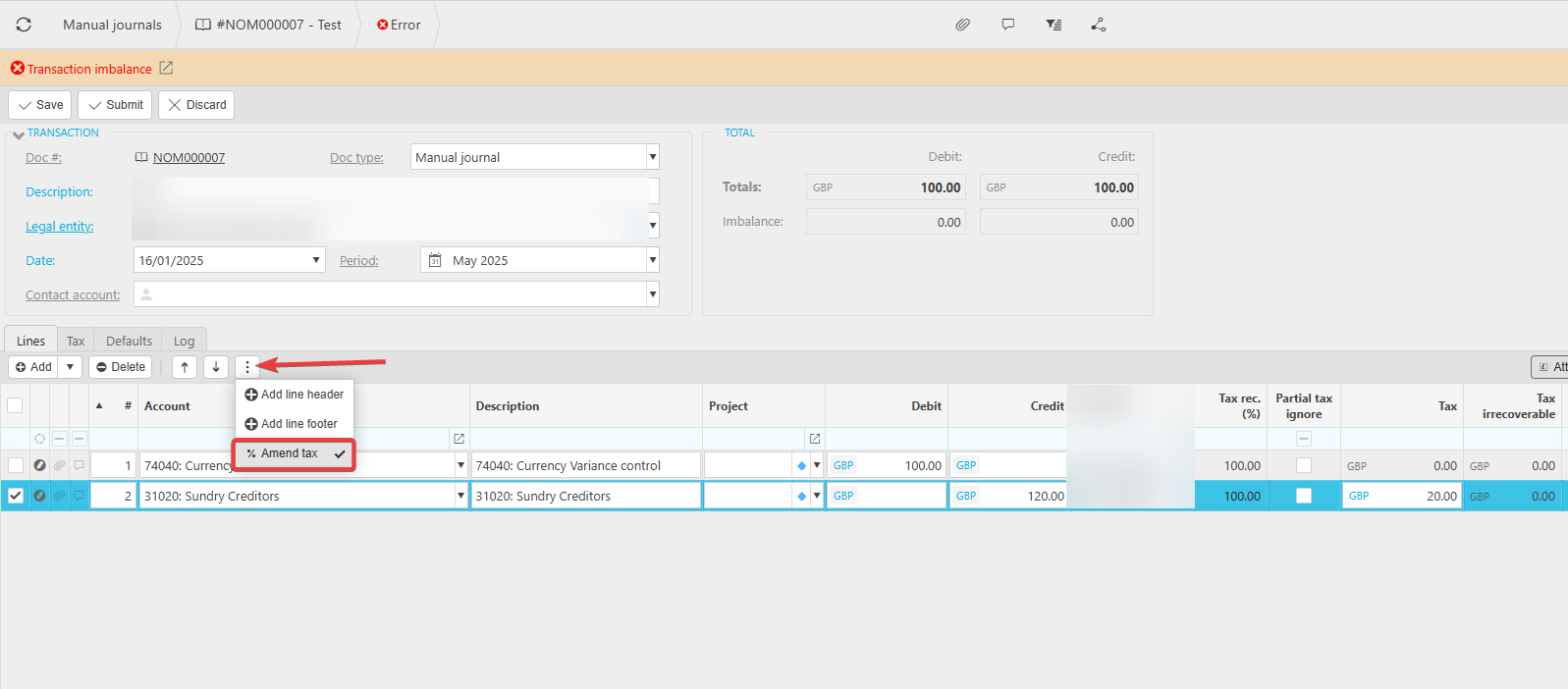
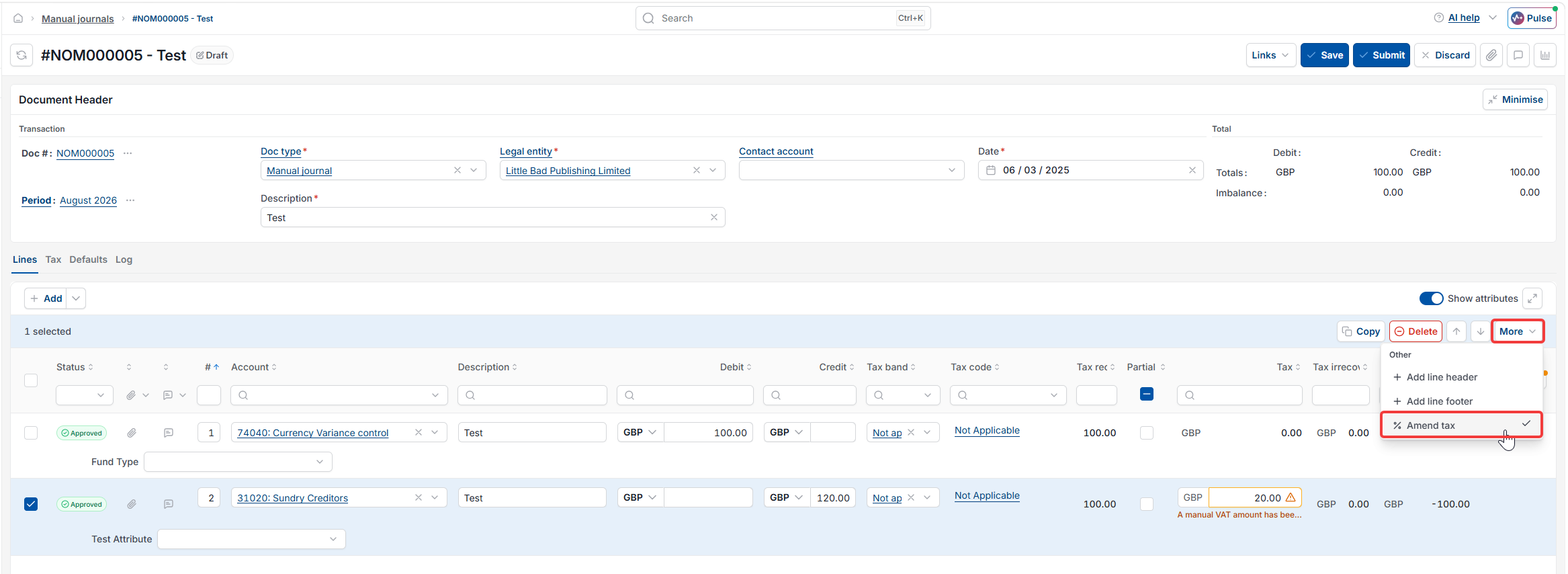
- Select into the 'Tax' field on that line to make it editable, either directly, or via the ellipsis or 'More' menu on the line and selecting 'Amend Tax', depending on your version of iplicit
- Remove or correct the tax value in the field
- Save or resubmit the document.
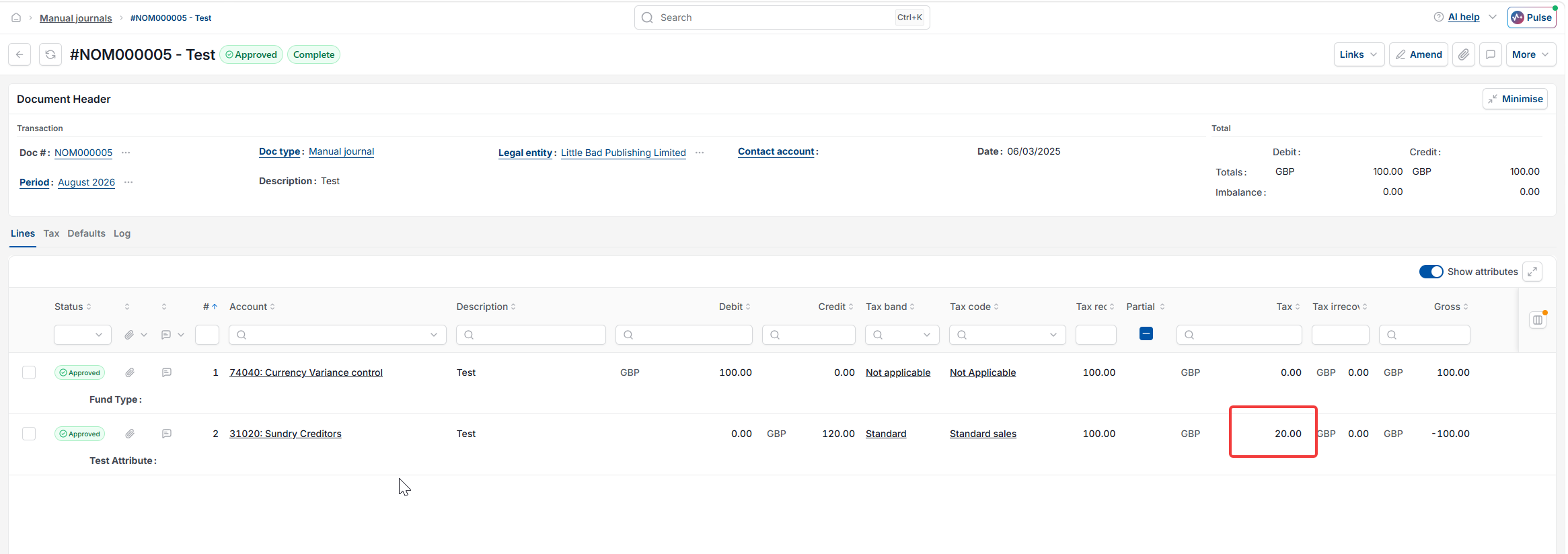
Remove tax adjustment on invoice
Remove tax adjustment on journal
Expense tax adjustment
Amend tax
Remove tax from journal
Tax adjustment is wrong