

This article covers changing the company registration number that appears on documents sent to customers, such as sales invoices, credit notes and statements. The company number is not edited on the document itself. It updates automatically from the linked Legal Entity record, in the same Setup area used to configure that entity.
Steps
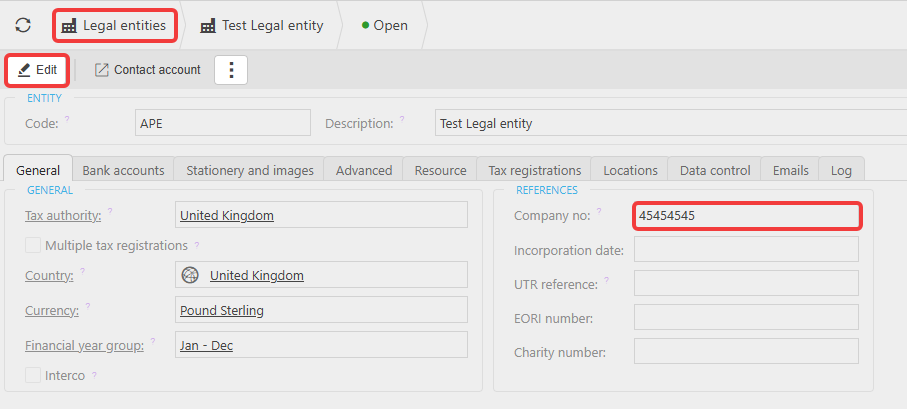
- Navigate to 'Legal entities' and select the relevant legal entity.
- Select 'Edit'.
- On the 'General' tab, update the 'Company no' field.
- Save the changes.
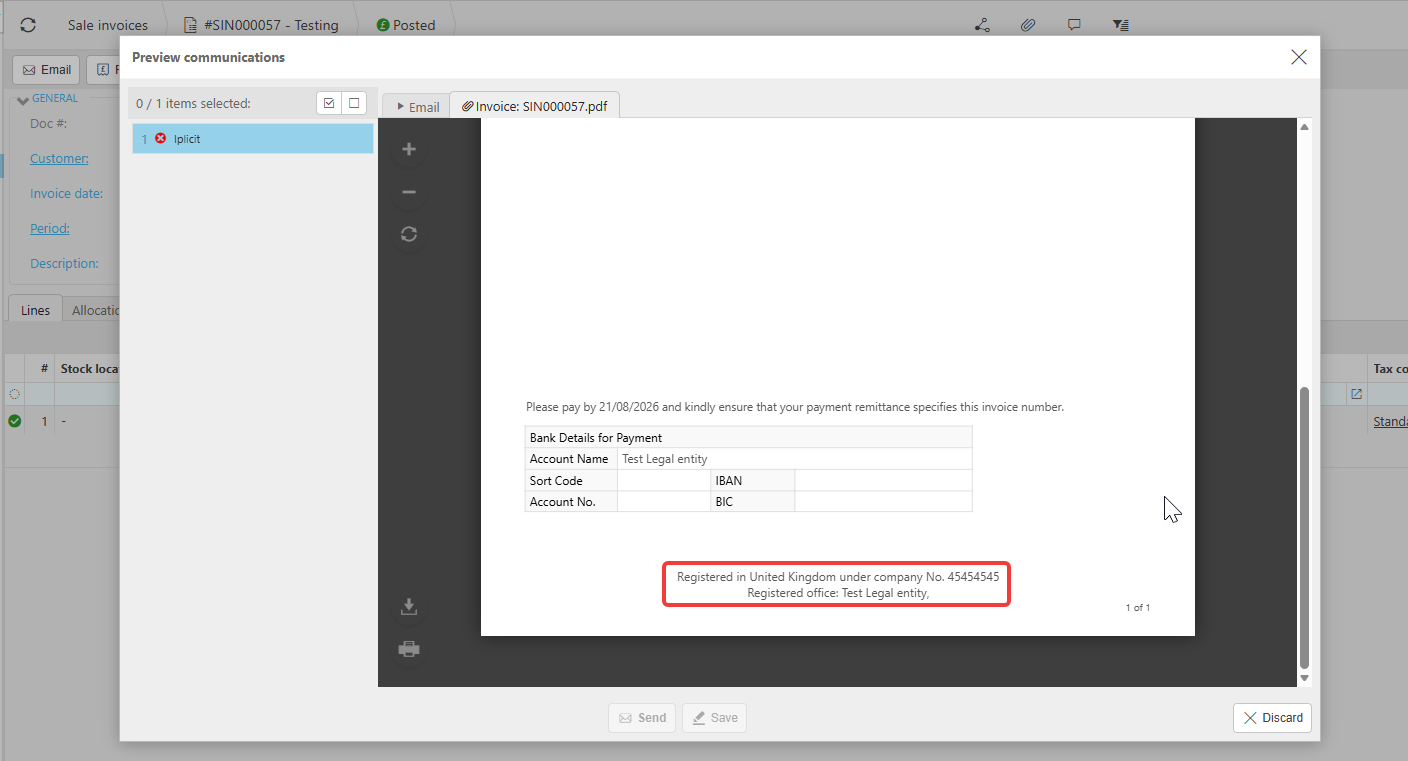
- Open a document for that legal entity (for example a sales invoice) and select 'Preview communications' to confirm the updated company number is displaying in the "Registered in United Kingdom under company No." line.
If the company number has not updated on the document, raise a ticket with the support team. This can be escalated to the Analytics team to resolve for you.
Customer search terms
Change company number on invoices
Update company registration number
Company number not updating on documents
Amend company number legal entity
Wrong company number on customer documents
Legal entity company no field