

This article covers setting the default responsible person on a supplier record within Contact Accounts. Once set, iplicit applies that person automatically to every new purchase invoice raised for the supplier, so you do not need to assign it manually each time.
Finding the supplier record
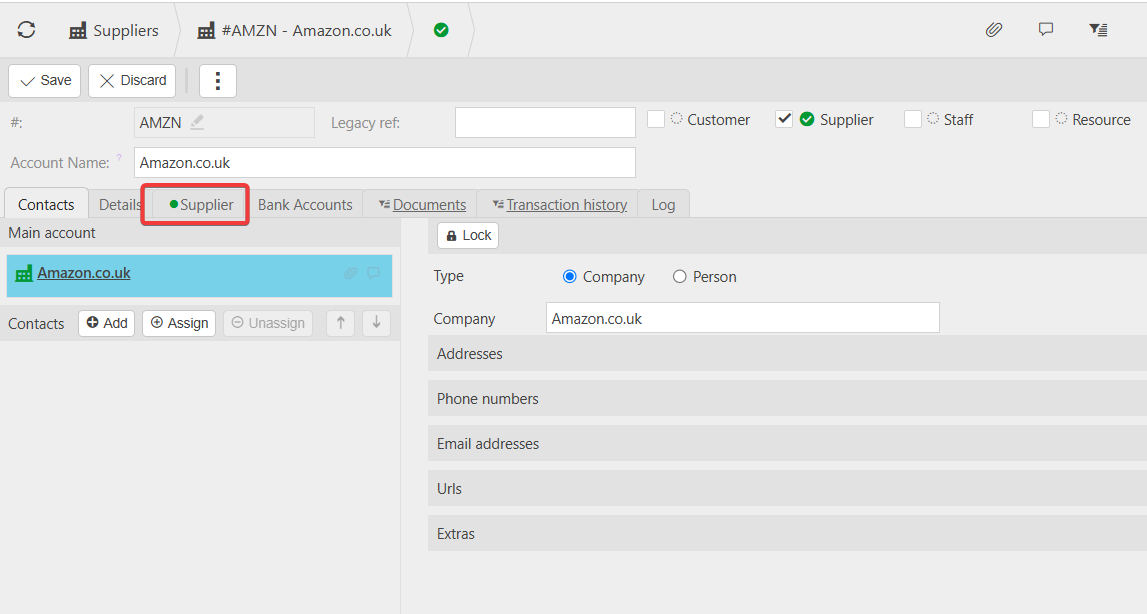
To change the responsible person for a supplier, start from the supplier's record in Contact Accounts. Open Purchases > Suppliers, or use the search bar. Select the correct supplier from the results to open their record.
Setting the responsible person on the supplier tab
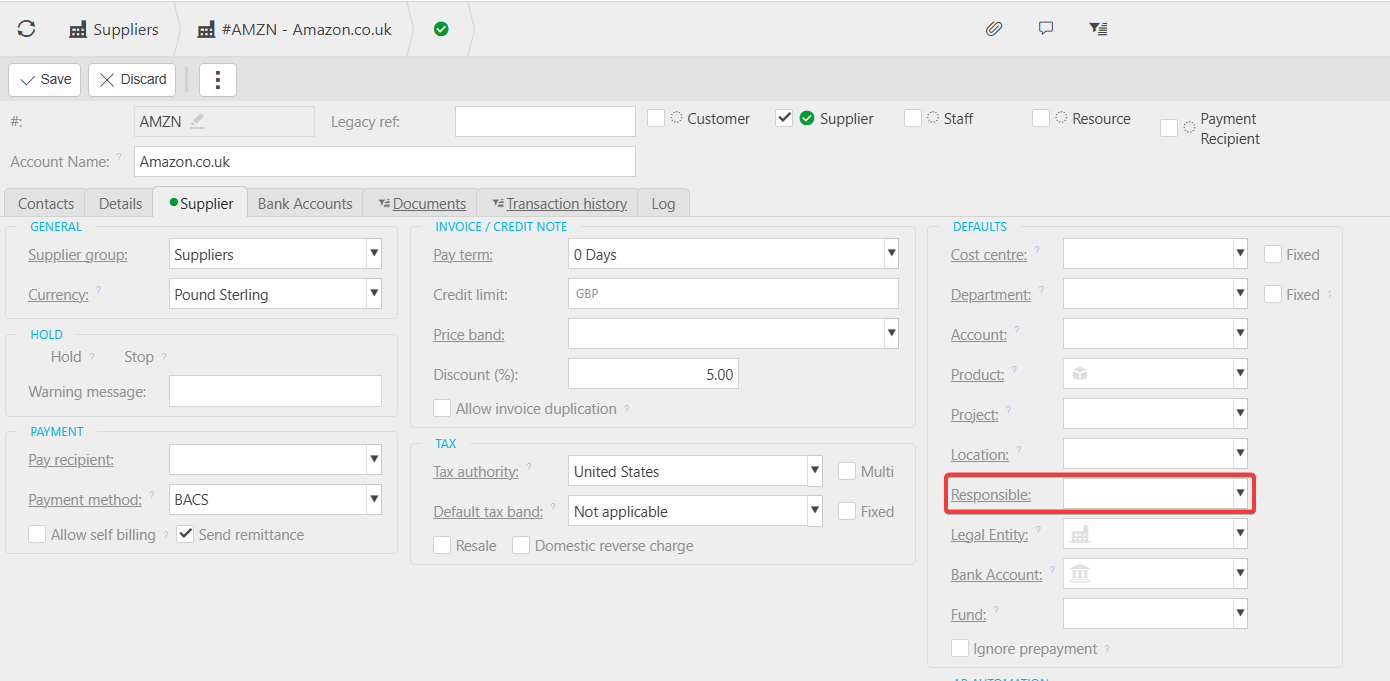
Within the supplier record, select the 'Supplier' tab. This tab holds the supplier-specific settings, including the 'Responsible' field.
The 'Responsible' field sets which person is automatically assigned as responsible for purchase invoices raised against this supplier. Select the field and choose the correct person from the list.
Saving your change
Select 'Save' to confirm the change. If you do not save the record, the update is lost and the previous responsible person (or no responsible person) remains in place.
How this affects new purchase invoices
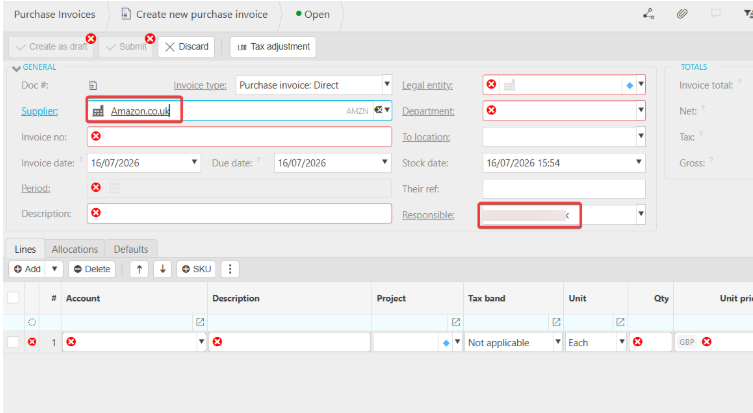
Once saved, the 'Responsible' field applies to purchase invoices for this supplier going forward. The next time you enter a purchase invoice for this supplier, the responsible person populates automatically – you do not need to set it manually on each invoice.
This change does not affect purchase invoices already entered for the supplier before the update. Existing invoices keep whichever responsible person was set at the time they were created.
Supplier responsible person
Change responsible person supplier
Default responsible user purchase invoice
Who is responsible for invoice
Responsible field supplier
Purchase invoice owner