

This article covers recording absences as part-days rather than in hours, using the 'Min quantity' field on an 'Absence document type'. iplicit doesn't support recording absences directly in hours – absences are always recorded in days, but decimal values let you represent part-day absences.
Why absences can't be recorded in hours
Absence document types in iplicit record time off in days, not hours. To represent less than a full day, you use a decimal portion of a day instead of an hour value. For example, half a day is entered as 0.5, and a quarter of a day is entered as 0.25.
Setting the minimum quantity on an absence document type
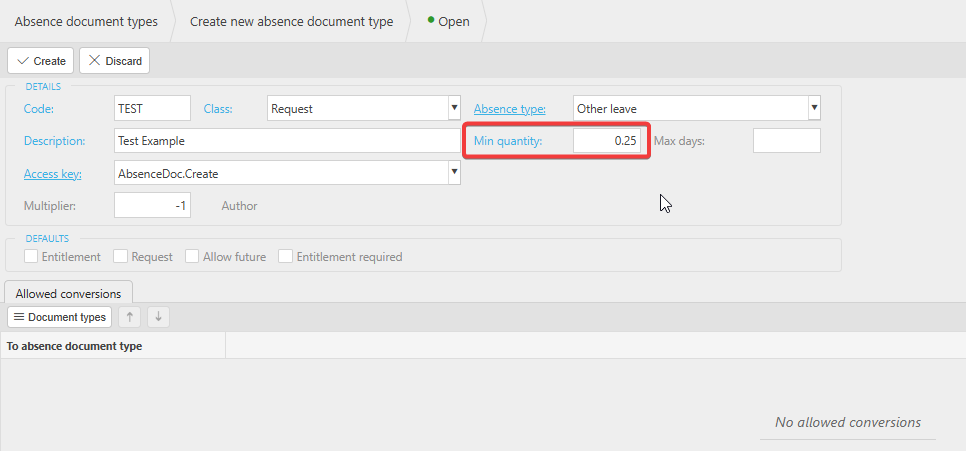
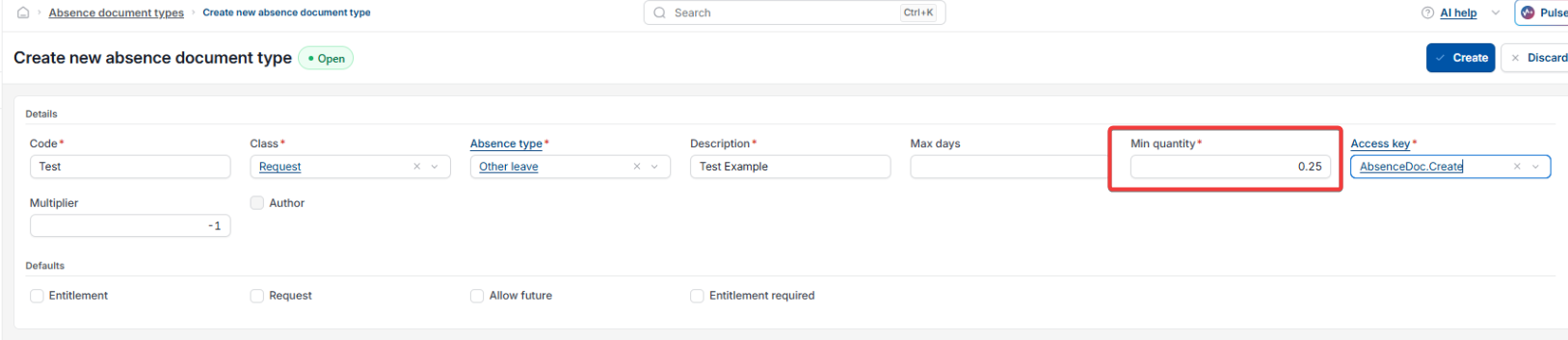
The 'Min quantity' field on an 'Absence document type' controls the smallest decimal portion of a day that can be entered against that absence type.
- Navigate to 'Absence document types'
- Open or create the absence document type you want to configure
- In 'Min quantity', enter the smallest portion of a day you want to allow – for example, 0.25 for a quarter-day
- Select 'Create' (or 'Save' if editing an existing type).
iplicit supports up to two decimal places in this field, so values such as 0.33 or 0.75 are also accepted. Anything beyond two decimal places isn't supported.
Absence in hours
Partial day absence
Record absence as decimal
Half day absence setup
Quarter day absence