

This article covers an import error affecting auto-reversing manual journals, within 'Imports' and 'Periods'. If you import a manual journal set to auto-reverse and the import fails with an internal error mentioning that a value cannot be inserted into the 'doc_date' column, this is usually because one of the two periods the journal needs – most often the reversing period – is locked.
Why the auto-reversing journal import fails
An auto-reversing manual journal posts into one period and automatically reverses into another. For the import to succeed, both the posting period and the reversing period need to be open. If the reversing period is locked, iplicit doesn't recognise the posting date as valid, since there's no open period for the reversal to post into, and the import fails.
Finding and unlocking the affected period
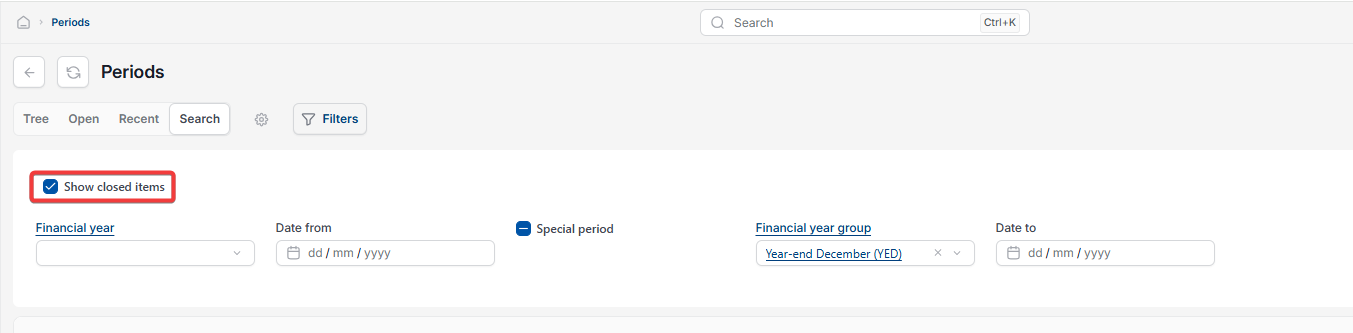
- Navigate to 'Periods'
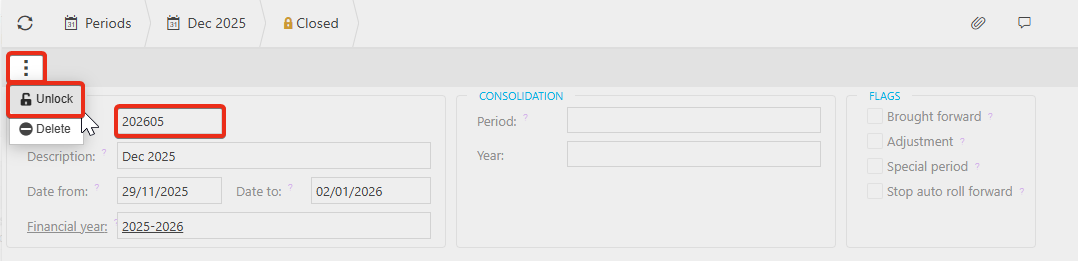
- Depending on your version, this is either selecting the lock icon on the toolbar, or ticking the 'Show closed items' box, so that locked periods are shown – periods stay hidden from this list unless one of these is active
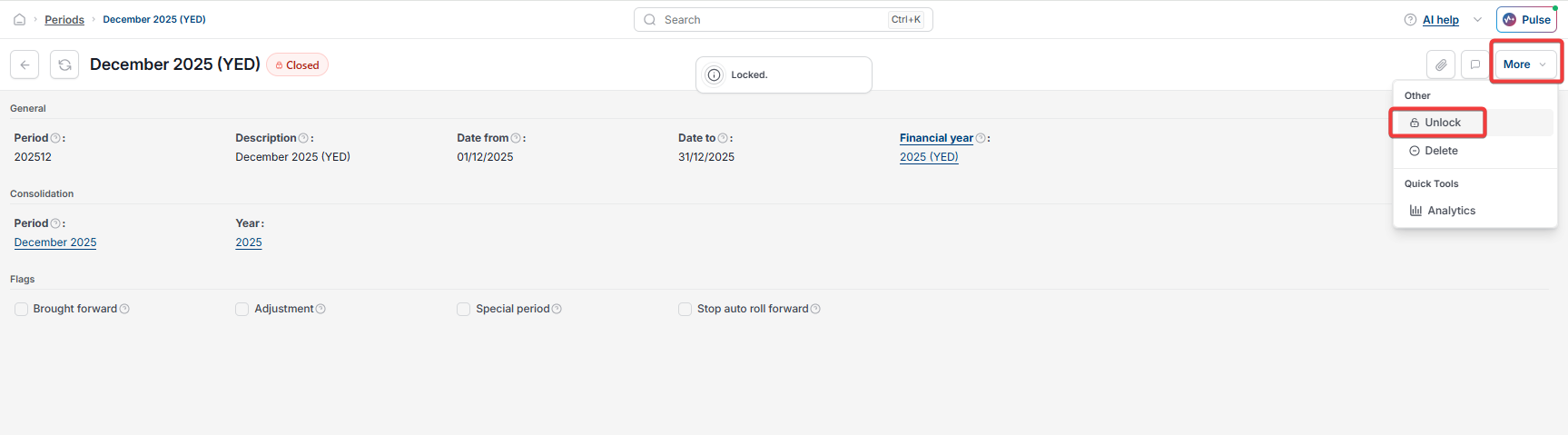
- Find and open the period causing the issue – most often the period the journal needs to reverse into
- Depending on your version, this is either selecting the ellipsis (three-dot menu), or selecting the 'More' dropdown menu
- Select 'Unlock'.

Re-importing the journal
- Reload your iplicit session so the period change takes effect
- Return to 'Imports' and open the manual journal import
- Import the journal again.
The journal should now import successfully.
Auto reversing journal import error
Cannot insert value NULL into column doc_date
Locked period import error
Manual journal import failing
Reversing period closed error