

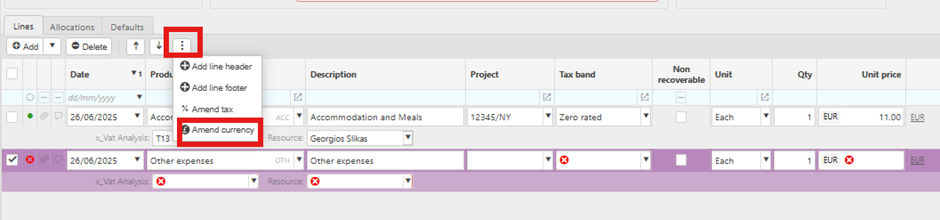
You can amend the currency by using the three ellipsis menu on the transaction screen. This allows you to adjust the currency settings as needed, as shown in the example expense transaction.
You can amend the currency by using the three ellipsis menu on the transaction screen. This allows you to adjust the currency settings as needed, as shown in the example expense transaction.
If you are an authorised support user, please raise a ticket and our Support team will get back to you.
If you are not an authorised support user, please contact your organisation's admin, or call us on 020 3900 2391 to find out who that is.