

If you're unable to create a Sales Quote and see a message indicating no available document types, it's likely because the Sales Quote document type is currently locked.
To enable it:
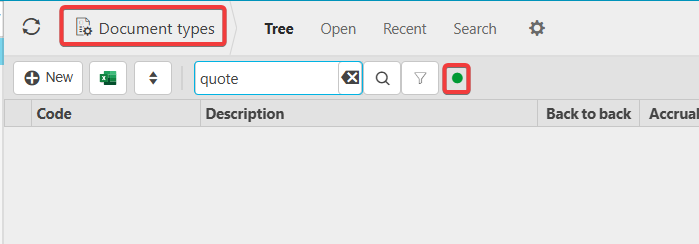
- Go to the Document Type screen.
- Search for "Quote" and click the green dot to display locked document types.
- Click into the Sales Quote document and unlock it using the three-dot menu.
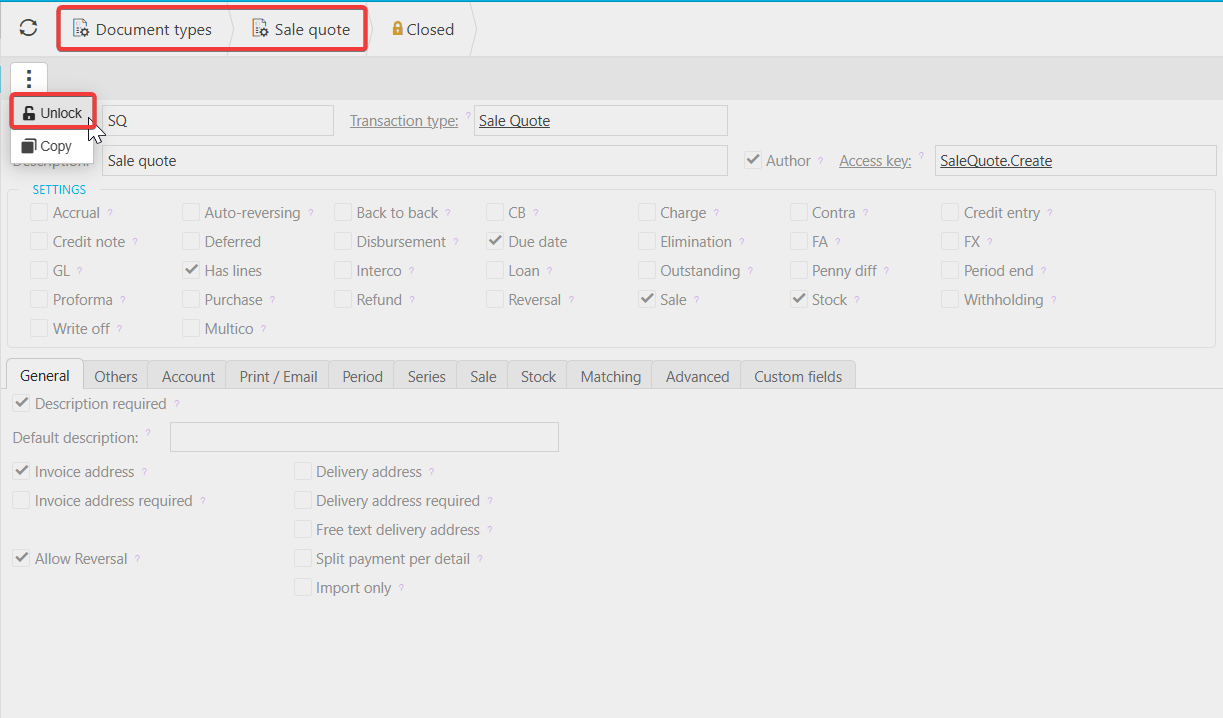
Once unlocked:
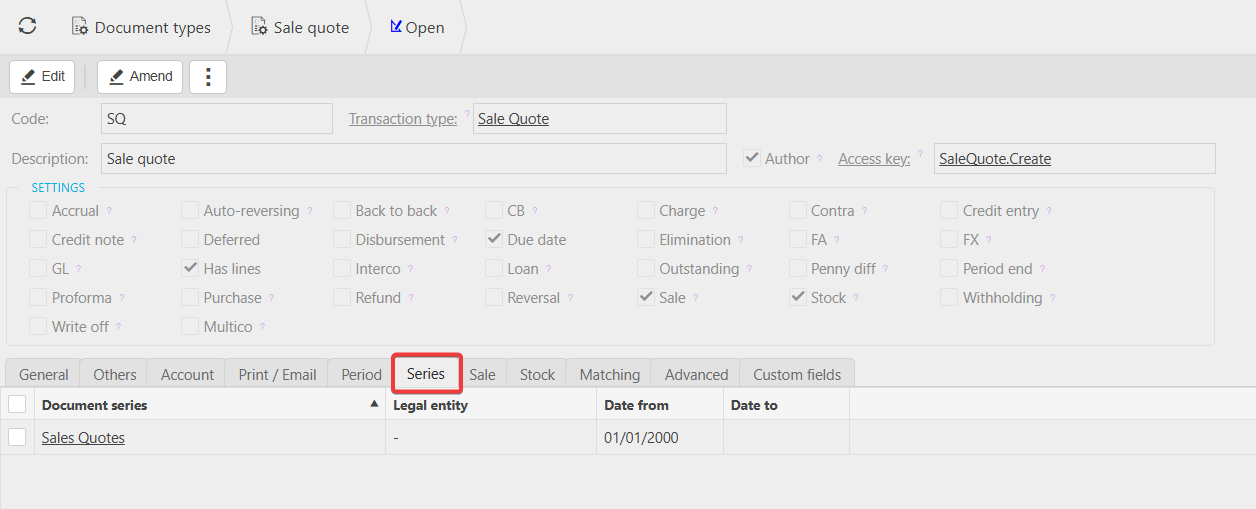
- Ensure the correct document series and accounts are set up (these are usually configured by default).
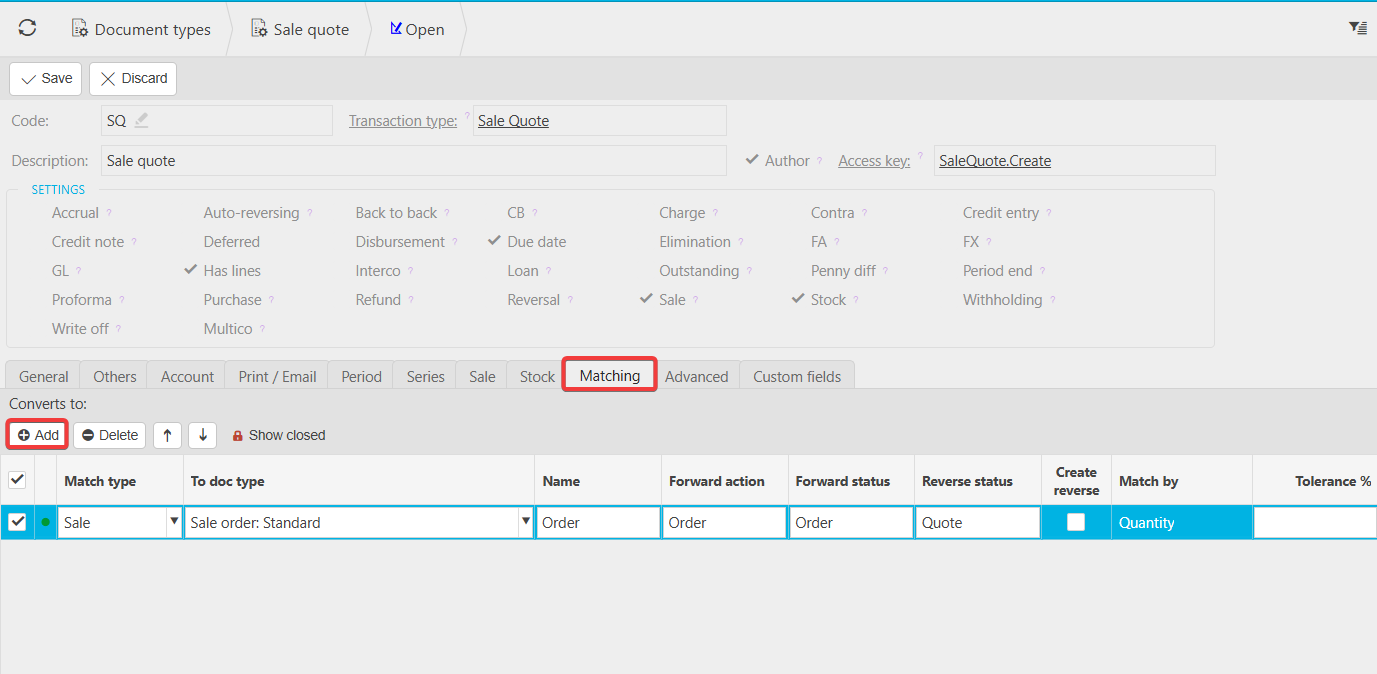
- Optionally, configure which documents a quote can be converted into (e.g., a Sales Order) via the Matching tab.
After completing these steps, you’ll be able to start using the Sales Quote document.