

To add a custom tax rate, go to Tax Authorities and select the relevant country.
In the Tax Rates tab, click Add.
A window will open where you can enter:
- The Tax Code
- The Start Date
- The Rate
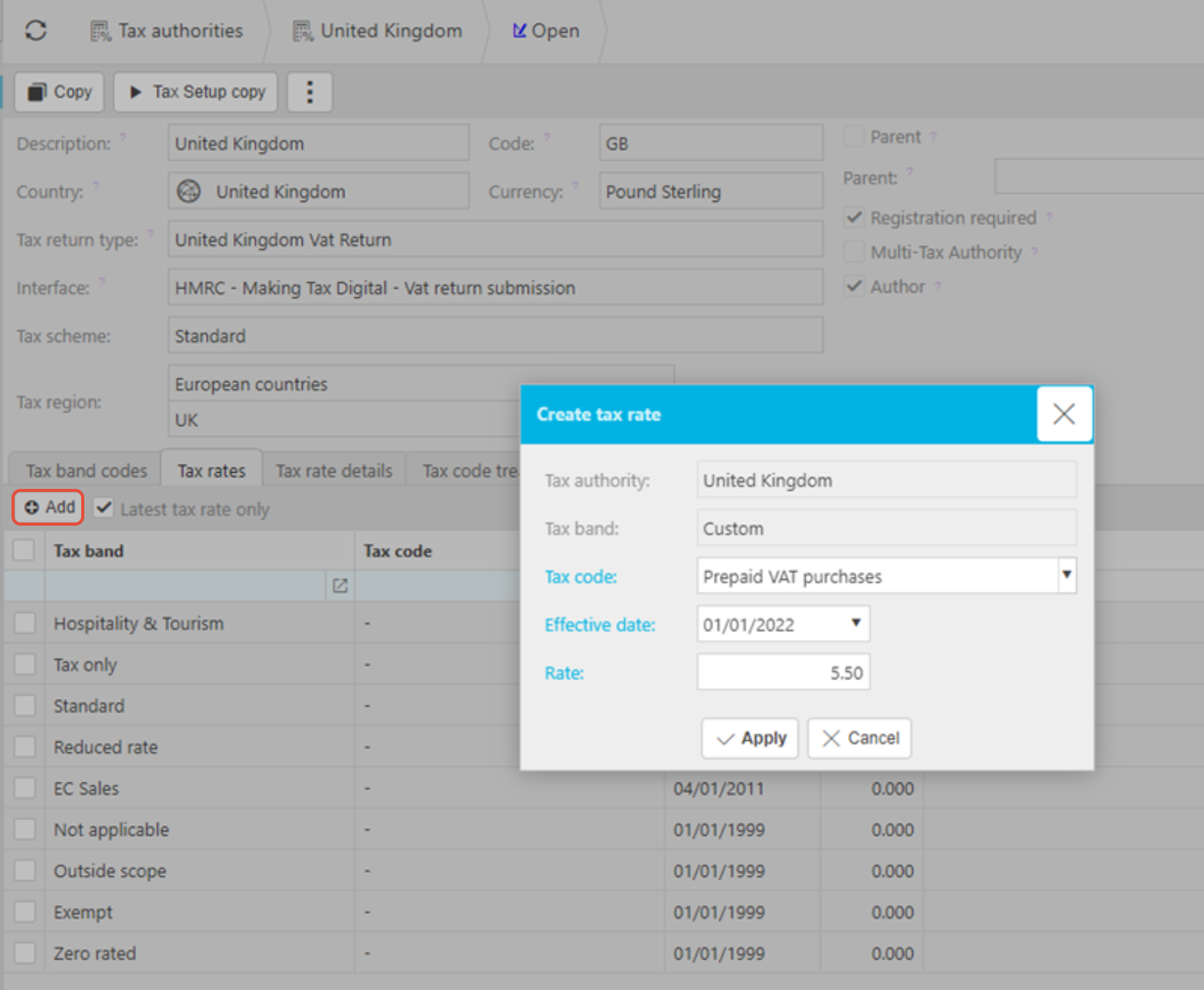
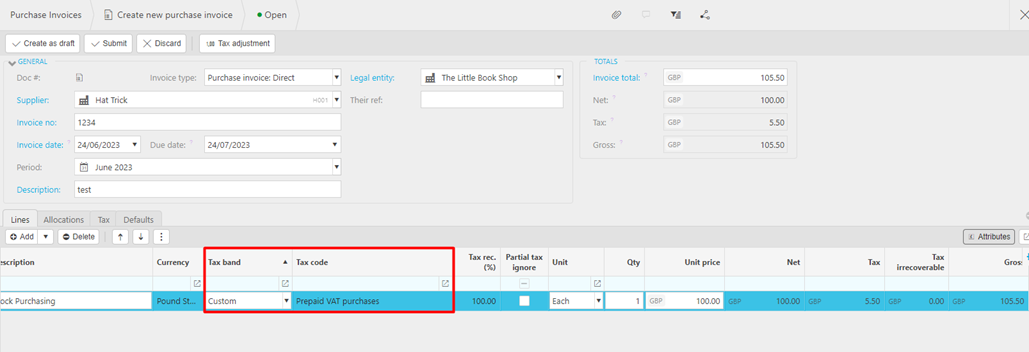
Once saved, selecting this custom tax band on a document will automatically apply the rate you’ve set, adding the correct VAT to the transaction.
Customer search terms
Add customer Tax rate
Create new VAT code
How to set tax percentage
Edit tax rates for a country
Custom VAT band setup
_______________________________________________________________________________________